Mac OS X 10.6 Snow Leopard Server: Problematic Items and tips

I’ve been running Mac OS X 10.6 Snow Leopard Server for just over a week now and I have definitely found a few items that are not functioning properly. Some of these may affect Mac OS X 10.6 Snow Leopard Client as well. Additionally, I have some hints and notes for Mac OS X 10.6 Snow Leopard Server users.

With any software upgrade, there are definitely some applications that will break. Most developers will be able to fix the bugs quickly and release new versions just after, or in some cases before, the release of a new operating system. I’ll list some of the problematic applications and their fixes, if available.

  • Growl. Growl is probably the thing I’m missing the most right now. I use it for GrowlTunes and GrowlMail mostly. There is a beta version available, however it is doesn’t work quite right 100% of the time. You can give the beta a try here. Growl is currently at 1.2 Beta 2.
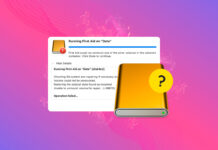
  • Server Admin for any server below 10.5.8. If you try and connect to a Mac OS X 10.5 Leopard Server running anything below 10.5.8 you will get an error that says it has to be 10.5.8 or higher. The screenshot below shows the exact error message.

Mac OS X 10.6 Snow Leopard Server: Problematic Items and tips

  • The third item I’ve run across is that 10.6 Snow Leopard doesn’t seem to notice Windows-based clients or at least doesn’t put them in the left sidebar of the Finder windows. I know 10.5 Leopard Server does this right out of the box since I have that installed in a VM.
  • When I reset my Snow Leopard Server install, which loads much faster than Leopard, the brightness is completely back to full blast, despite having been all the way down just prior to reboot. Yes, this is a bug and not the end of the world, just seems like something that would be easy to fix and would have been tested. I guess I must be the odd person out, I’ve heard from more than one person that they run their monitors at full brightness.

Overall, despite the bugs that are present, Apple’s Mac OS X 10.6 Snow Leopard Server is well worth the $499 cost for unlimited clients. It is particularly worthwhile if you have a bunch of Mac OS X clients and want a central way to manage them. There have been some rumblings in the Mac community that the $30 client upgrade is hardly worthwhile and does not do anything. This is definitely not the case with 10.6 Snow Leopard Server. The overall improvements more than justify the cost.


We're testing out a new service called Spread.Us. Help us share our stories!

About Wayne Dixon

I'm into everything technology related, particularly anything Apple related. I enjoy programming and tend to lean towards server-based technologies over client-based. You can contact me on twitter, via e-mail, or follow me on friendfeed.

View all posts by Wayne Dixon
Post comment as twitter logo facebook logo
Sort: Newest | Oldest

Cy, Thanks for the comments. I'll try and address your questions in upcoming articles. Some of them might take some time since I have to determine how to set them up and test them.

I would love to know some details, but first, thankyou for reviewing server. I swear it must be the only one I have found. You sir, are a legend

1) AFP - does it manage user connections properly, actually dropping users that are disconnected. Does spotlight work for clients.

2) DNS - is the "only at install" domain config gone. Does wide area bonjour work.

3) Mail - does spam/virus work or just generate a stream of errors in the log. Is it more friendly to administer.

4) update server - does it store the updates in a way that means u can migrate it. Does it actually "download recent" or still just the last 8 years

5) OD - is Kerberos still fragile as. Does it work properly yet with wireless clients or still just break if they drop out. Is the db able to really be backed up

6) is the webserver a freakin muddle still barely hanging in there with WebDAV stuff like iCal

7) how is address book server, does it really work, and can all users edit contacts

8) does the iPhone "remote access" work with contacts, mail and cal

9) can the folders for the various servers be -really- moved to external drives without hacking and ending up with a fragile system or are they still really jammed down inside invisible folders on the main system drives

10) can workgroup manager back itself up properly. Are user settings like mail, cal and web more robust. Do user quotas work better.

I suppose, does it work or is it still just hanging in there.

Trackbacks

  1. [...] wrote an article about some problematic items within Mac OS X 10.6 Snow Leopard, which you can read here. The article isn’t the important part.  I received a comment from Cy Starkman requesting [...]