Music follows us everywhere. Some people turn it on to catch a breath, calm down, boost their energy, or create the background for work. macOS includes QuickTime Player as its default player, but it doesn’t always match what users expect. The main issue lies in format compatibility, as Apple sticks to its own standards and tends to ignore things like FLAC.
Sure, you can try YouTube Music or Spotify, but the free versions let you listen only when you’re online. Offline downloads require a paid subscription. But what do you do with a huge folder full of MP3s, FLAC files, or anything else you’ve collected over the years? That’s when the need for the best music player for Mac appears – one that opens any format, works without subscriptions, and gives full control over your music library. So we decided to sort this out ourselves. After a few weeks of testing different players in real everyday use, we put together a list of the best music players for Mac you should try.
Table of Contents
What Features Matter in a Music Player for Mac?
Before you move on to our list of the best MP3 players for Mac, we want to explain how we selected them. The first thing we looked at was format support. A good player must open different types of audio files so you don’t have to convert everything into plain MP3. This point was essential for us.
Other criteria varied from app to app. Not every player in our list includes all the features below, but their presence definitely counted as an advantage during testing. Here is what we considered important:
- stable playlist creation and flexible organization tools
- useful playback controls
- high-resolution audio support and clean, gapless playback
- a built-in equalizer with presets
- smart TV or AirPlay/DLNA streaming for local files
- an interface that stays easy to use, even with a large library
The 9 Best Music Players for Mac
Below you’ll find nine music players that stood out during our testing. For each one, we added a short summary, the main pros and cons, and demo screenshots so you can get an idea of how the app looks on macOS.
1. Elmedia Player
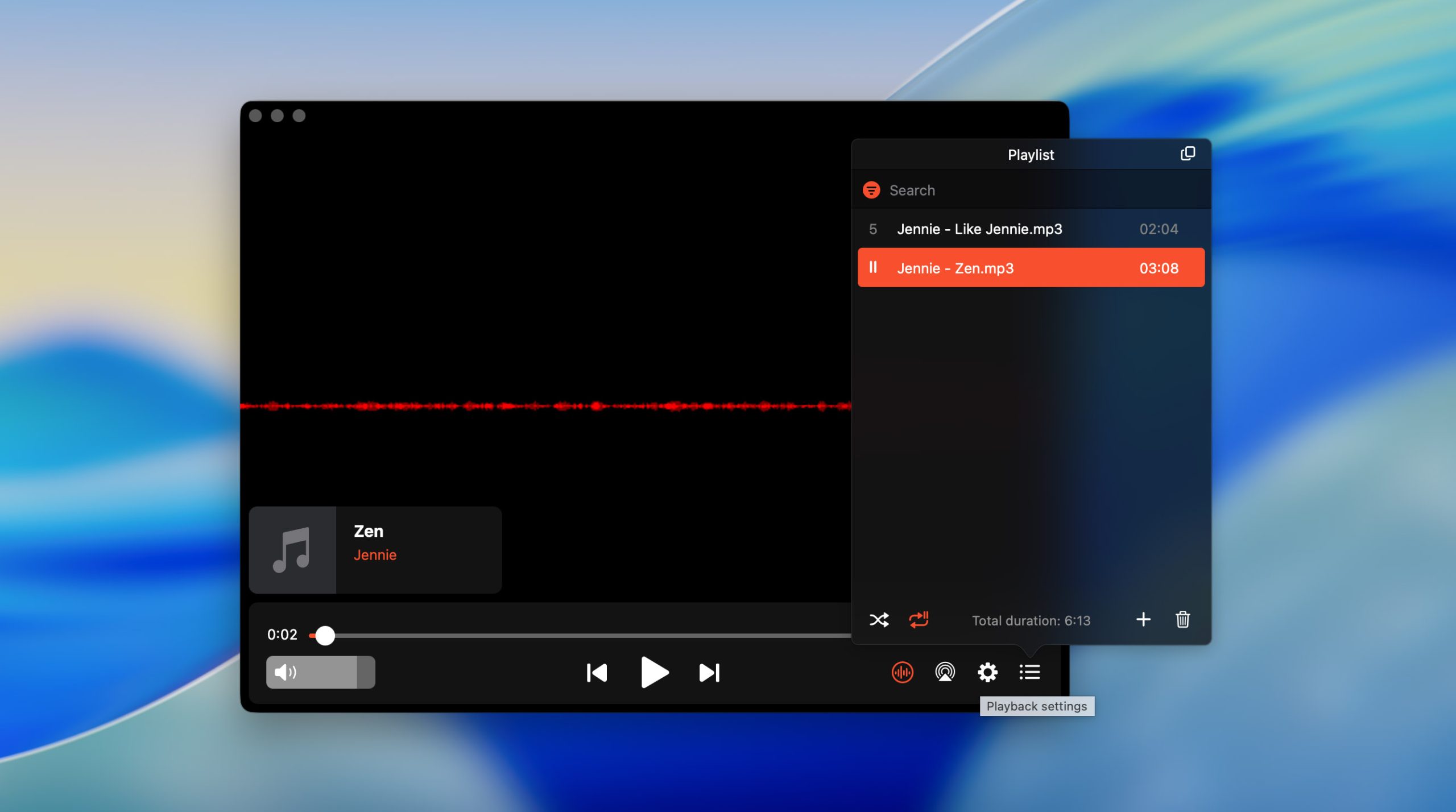
We’ll start with Elmedia Player, since it quickly proved to be the most capable option during our tests. It runs natively on the latest macOS versions, loads instantly on Apple silicon, and opens almost any audio format you might have on your Mac (MP3, AAC, ALAC, FLAC, OGG, WAV, AIFF – the app handles all of them without conversions or quality loss). Elmedia also gives you solid control over your sound. You can adjust the equalizer, tweak individual frequencies, apply presets, and fine-tune the audio to match your headphones or speakers. Playlist creation is simple and fast, and the interface stays clean even with large libraries.
The app doesn’t stop at local playback. With the PRO version, you can stream audio from your Mac to a TV or speakers via AirPlay, DLNA, or Chromecast. It works with surround sound setups as well, which is something many free players still can’t offer. Extra tools like picture-in-picture mode, advanced playback controls, and additional video features also become available for PRO users.
Whether you want a lightweight player for everyday use or something more capable for high-resolution formats, Elmedia Player remains the strongest all-around choice for macOS.
- Wide variety of supported formats
- Native support for Apple silicon Macs
- Customizable playback (A-B loop, playback speed control, frame-by-frame steps)
- Clean, intuitive UI with dark mode support
- 10-band audio equalizer with presets
- Ability to create playlists and manage music library
- Support for AC3/DTS through S/PDIF
- Audio/video streaming and screen mirroring are available in PRO version
2. IINA
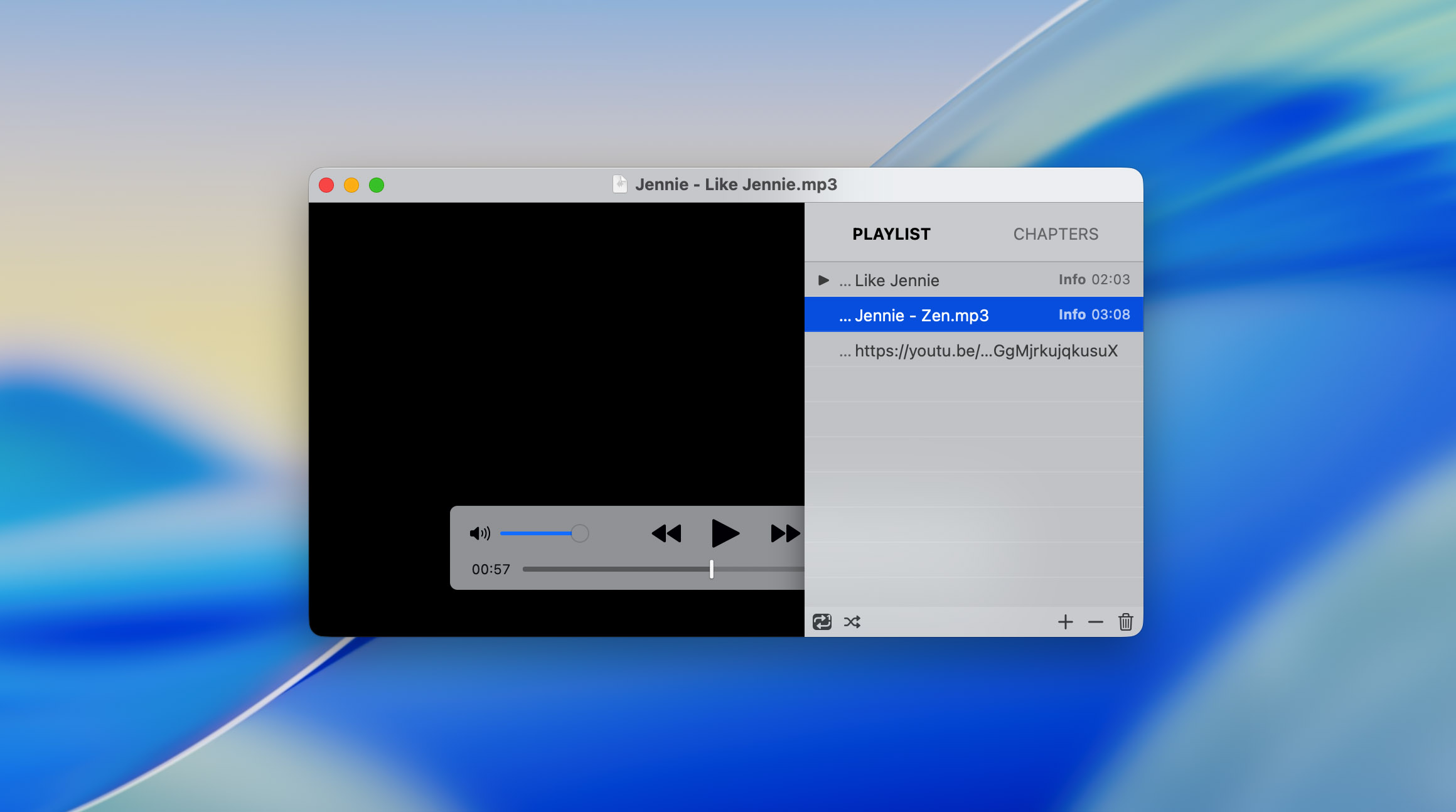
Next on our list is IINA. We placed it right after Elmedia Player because, in many ways, it aims for a similar balance of clean design, strong performance, and wide format support. The difference is that IINA is completely open-source, which makes it appealing to users who prefer community-driven software. It supports system features such as the Touch Bar, Dark Mode, trackpad gestures, and smooth integration with macOS media controls. The interface looks modern and stays easy to navigate even when you load folders with hundreds of files.
The player works with almost any audio or video format you throw at it (MP4, MKV, MP3, FLAC, and a long list of others). Thanks to its MPV-based engine, playback remains stable even with heavy, high-resolution files. IINA also includes practical extras like picture-in-picture mode, custom themes, plugin support, Chapter navigation, and detailed playback adjustments. If you mix local files with online content, you can open direct links, online playlists, and even YouTube videos.
- Completely free and open-source
- Wide support for audio and video formats, including high-resolution files
- Native macOS integration (Touch Bar, Dark Mode, media keys, gestures)
- Clean, minimal interface that feels modern and easy to navigate
- Powerful audio controls and flexible equalizer
- Ability to load online streams and YouTube links
- Sometimes the app may crash
- Fewer streaming options compared to paid players
3. VLC
Of course, we couldn’t create this list without including one of the most well-known media players in the world. You’ve probably heard of VLC at least once, or at the very least seen its bright orange traffic-cone logo somewhere on the internet. VLC has been around for years, and its longevity speaks for itself.
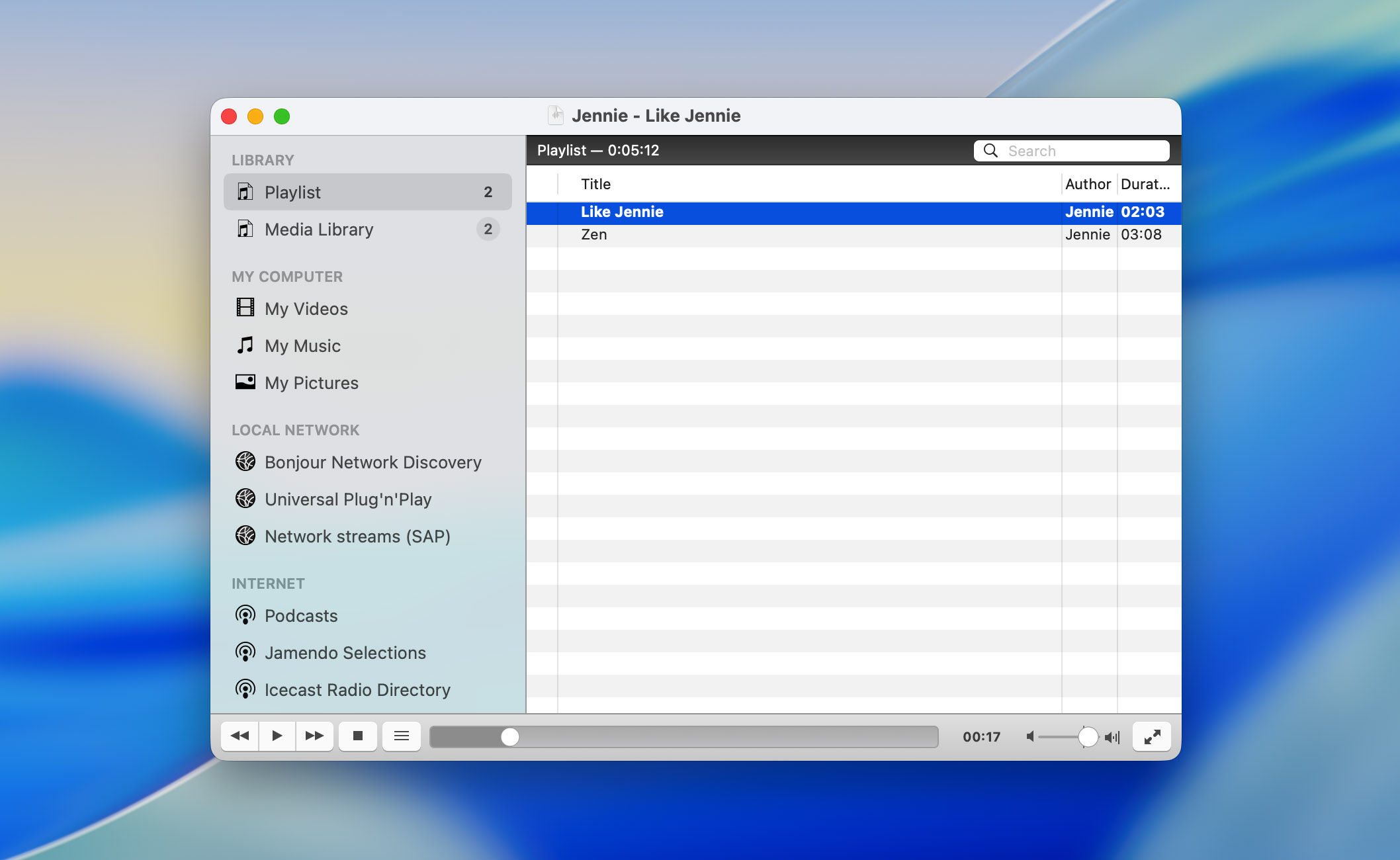
This open-source player from VideoLAN remains one of the most versatile tools you can install on a Mac. It works across almost every operating system, opens nearly any audio or video file, and requires no plugins or additional codecs. For music playback, VLC handles MP3, FLAC, AAC, and many other formats with no trouble at all. Although VLC is best known as a video player, it performs surprisingly well as a music app. You can build playlists, browse folders, shuffle tracks, and fine-tune audio through various filters and adjustments.
Advanced users can adjust deeper settings, including audio sync, effects, visualizations, equalizer options, and network streaming through protocols like UPnP, SMB, and even Chromecast. This flexibility is one of the main reasons VLC remains so widely used today. Overall, VLC remains a reliable, free option that handles almost every format you might come across, making it a solid backup or even a primary player for many Mac users.
- Supports a wide range of audio and video formats without requiring extra codecs
- Works on almost every platform (macOS, Windows, Linux, iOS, Android)
- Includes advanced audio and video filters, equalizer settings, effects, and synchronization tools
- 100% free and open-source, with no subscriptions or locked features
- Handles network streaming
- Offers customizable skins and interface themes for users who want a different look
- The interface still feels basic and outdated compared to modern macOS apps
- Customization exists, but many settings hide deep in menus and feel unintuitive
- Some streaming features work inconsistently on macOS
4. 5KPlayer
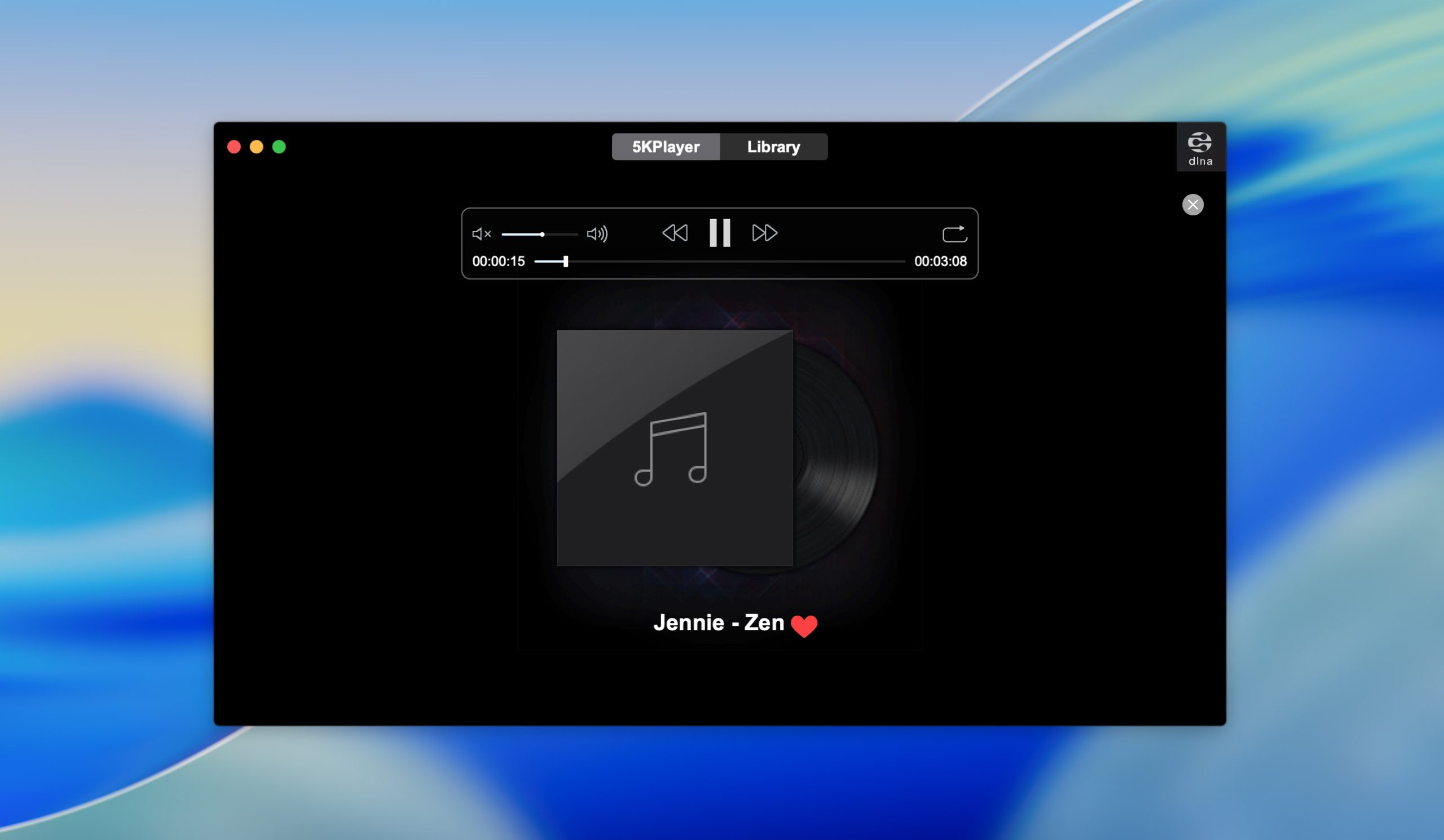
5KPlayer is another good free music player for Mac. It stands out because it combines several functions into a single interface. Besides playing common audio formats like MP3, AAC, AC3, OGG, and WMA, the app also includes a built-in radio module with access to a variety of online stations, so you can switch between your local music and internet radio without opening a browser. It also comes with AirPlay and DLNA support, letting you stream audio or video from your Mac to TVs, smart speakers, and other compatible devices.
On top of that, 5KPlayer includes tools for downloading online videos and converting them to MP3, which some users still find handy. The interface may feel a bit overloaded at times, but the idea behind the app is clear: combine several entertainment features in one place so you don’t have to jump between multiple programs.
- Easily converts online or local videos to MP3
- Supports wireless audio and video streaming through AirPlay and DLNA
- Includes a built-in radio module with access to various online
- Works as an all-in-one media center, combining playback, streaming, and downloading tools
- Completely free to install and use
- Limited advanced customization options for audio playback
- Interface feels cluttered because the app tries to combine too many tools in one place, and the overall design looks outdated for modern macOS standards
- Displays promotional pop-ups for the developer’s other products
- Requires user registration to unlock certain features
5. Cog
Cog is a free Mac audio player that prioritizes simplicity above all else. Its interface looks almost like a stripped-down version of Finder (familiar columns, clean lists, no unnecessary panels), which makes it very easy to browse folders and play tracks without any extra steps. Despite its simplicity, Cog offers useful audio controls. The built-in equalizer and sound adjustment options let you tailor playback to different genres or headphones. It loads files quickly and handles most common audio formats without conversion.
Although the app looks minimal, it’s far from limited. Cog supports gapless playback, which is essential for live albums and DJ mixes. It works with CUE sheets, including embedded ones, so you can play long continuous audio files with proper track separation. The player also handles album artwork per track, with support for formats like JPEG, PNG, WebP, HEIC, and even AVIF on newer macOS versions. Cog performs surprisingly well with online content too. It can play audio from HTTP(S) sources, livestreams, and servers using Shoutcast, Icecast, or HLS.
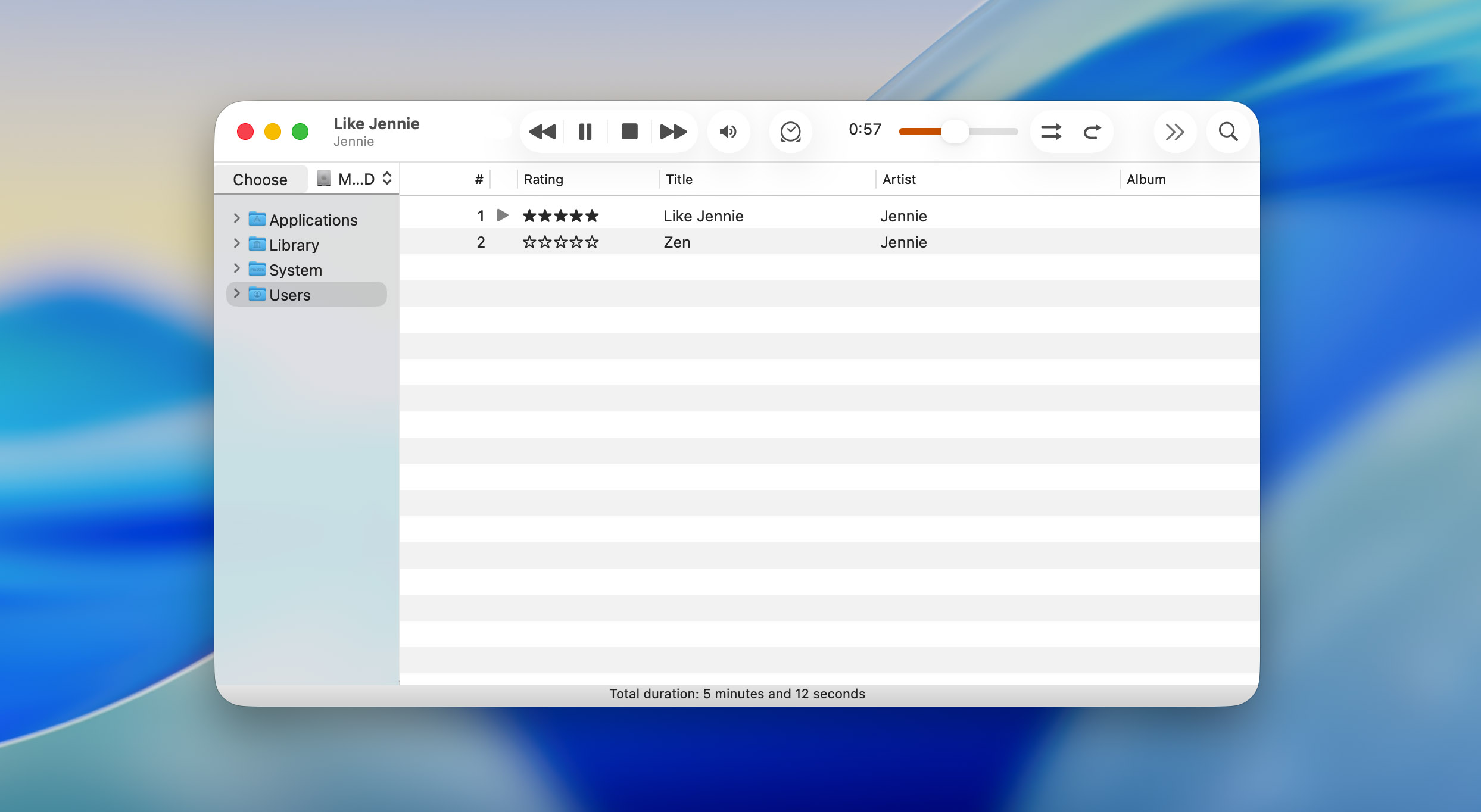
- Minimal, familiar interface that resembles Finder
- Fully free and open-source
- Supports gapless playback (ideal for live albums and mixes)
- Includes an equalizer and a built-in spectrum visualizer
- Offers global hotkeys and desktop notifications
- Lightweight and fast to load
- Stability varies; occasional freezes and crashes still occur
- Limited updates since development depends on community volunteers
6. Musique
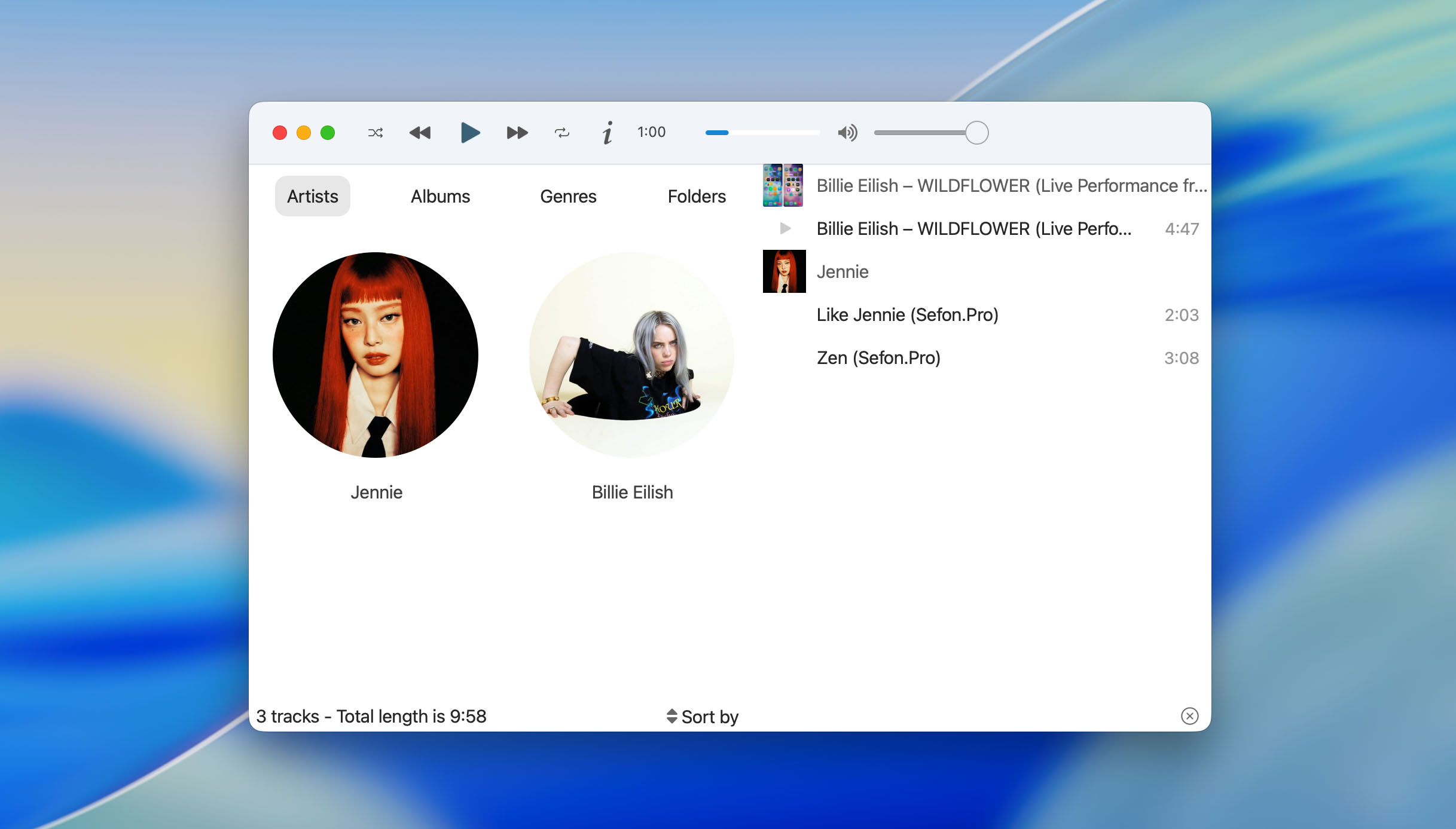
Musique is a simple music player for macOS that focuses on keeping your library easy to browse and pleasant to look at. We added it to the list because it offers a very different experience compared to heavy, feature-packed players. One of its most recognizable features is the way it displays your music. The app shows artists and albums using images pulled from Last.fm, so you browse your collection almost like a gallery. Instead of long text lists, you actually see the faces of artists and the covers of your albums, which makes navigating your library feel more natural.
Musique also includes a built-in lyrics view. When you play a song, the app tries to find the lyrics automatically and shows them in a dedicated panel, hiding everything unrelated to the currently playing track. If you organize your music in folders, Musique doesn’t force you into a separate library system. You can browse your files exactly as they are stored on your Mac, which is perfect for users who keep their collection manually organized. Combined with support for popular audio formats and a simple shuffle feature that adapts to your listening habits, Musique becomes a light, pleasant alternative to more complex players.
- Clean and visually pleasant interface
- Browses music through artist photos and album covers
- Built-in lyrics view that focuses only on the currently playing track
- Lets you browse music directly through folders and files
- Supports all common audio formats
- Limited advanced features compared to more modern players
- No built-in equalizer or sound customization tools
- Lacks streaming or Smart TV integration
7. Swinsian
If you keep thousands of tracks on your Mac and want a clean, traditional library manager, Swinsian is one of the best options available. The app supports a long list of audio formats, including FLAC, ALAC, AAC, MP3, WAV, APE, Ogg Vorbis, WMA, and more. It can import your old iTunes/Apple Music library, monitor folders on your drive, and automatically add new tracks when you update your music collection.
The interface is highly customizable. You can switch between a column browser (similar to classic iTunes), a grid of album covers, or a simple list view. Swinsian also includes batch tag editing and a built-in duplicate finder that helps clean up large libraries. Other useful touches include global hotkeys, a mini player, AirPlay support, Smart Playlists, fast search, and real-time metadata updates. But it is a paid app with a fully-featured 30-day trial. During this period, all functions are unlocked, so you can test the entire workflow before deciding whether to purchase a license.
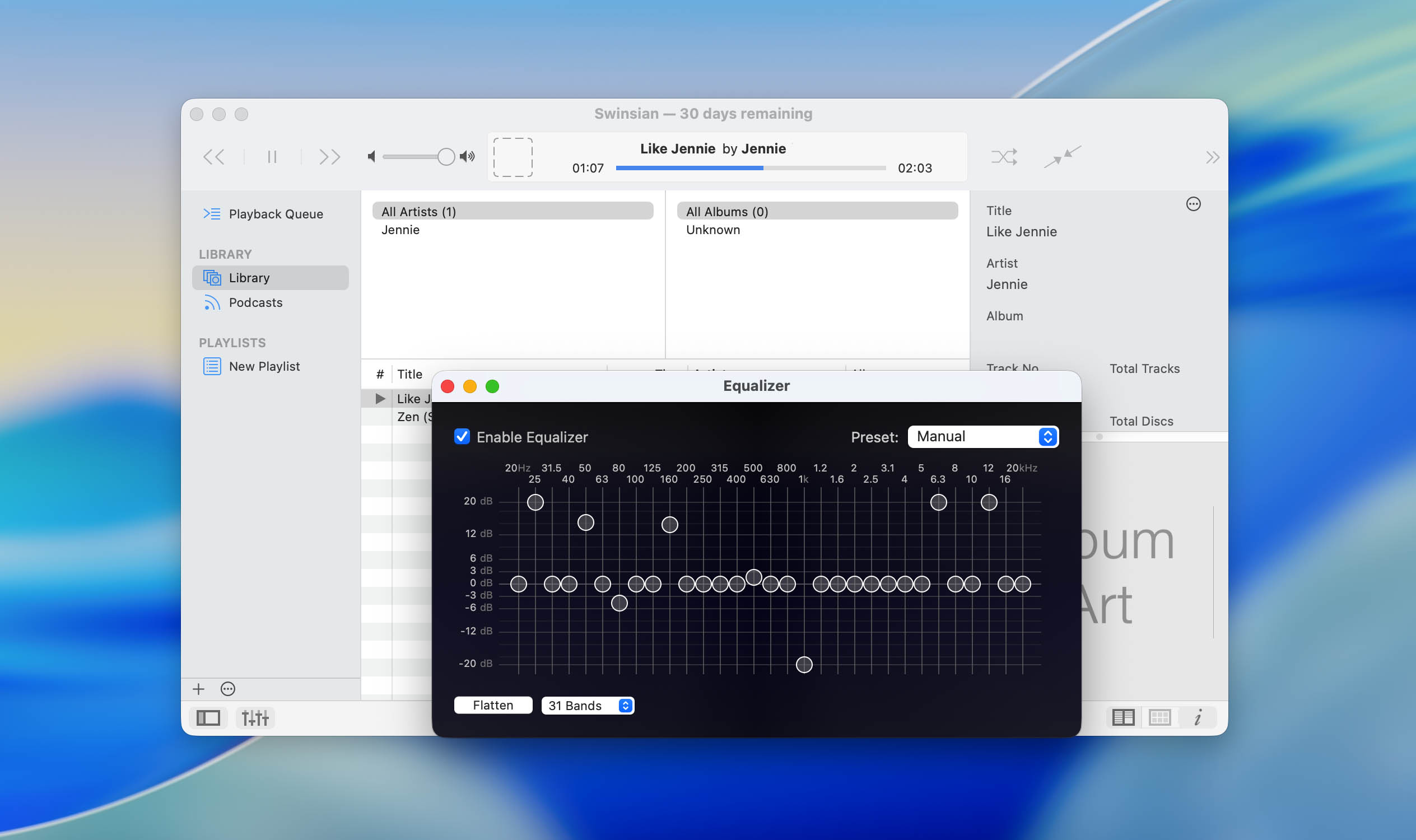
- Excellent library-management tools (folder monitoring, iTunes import, duplicate finder, and advanced tag editing)
- Customizable interface with list, grid, and column views
- Smart Playlists based on metadata, ratings, play counts, and more
- Very fast performance with large libraries
- Not free and requires a paid license after the trial
- No streaming-service integrations (no Spotify, YouTube, or similar features)
8. Vox
Vox is another music player for Mac that often appears in recommendations, mostly because it supports a wide range of formats and offers integrations that many other players don’t. It can handle everything from MP3 and M4A to lossless files like FLAC, ALAC, APE, and CUE. Vox also supports multichannel 5.1 audio and can stream YouTube links directly (simply paste a URL into the app and it will open the track or playlist). For SoundCloud users, Vox provides a built-in integration that lets you search music, browse your feed, and manage your likes without opening a browser or the official SoundCloud app. On top of that, Vox includes access to more than 30,000 radio stations, organized by country and genre.
However, while Vox looks feature-rich, most of its advanced tools are locked behind the Vox Premium subscription. The free version mainly lets you play local files. Features such as unlimited cloud storage (VOX Cloud), playlist sync, advanced audio settings, high-resolution streaming, and some SoundCloud tools require a paid upgrade. Another thing worth noting is the number of pop-ups inside the app. Vox frequently displays windows encouraging users to switch to Premium, and this makes the free version feel more restricted than it first appears.
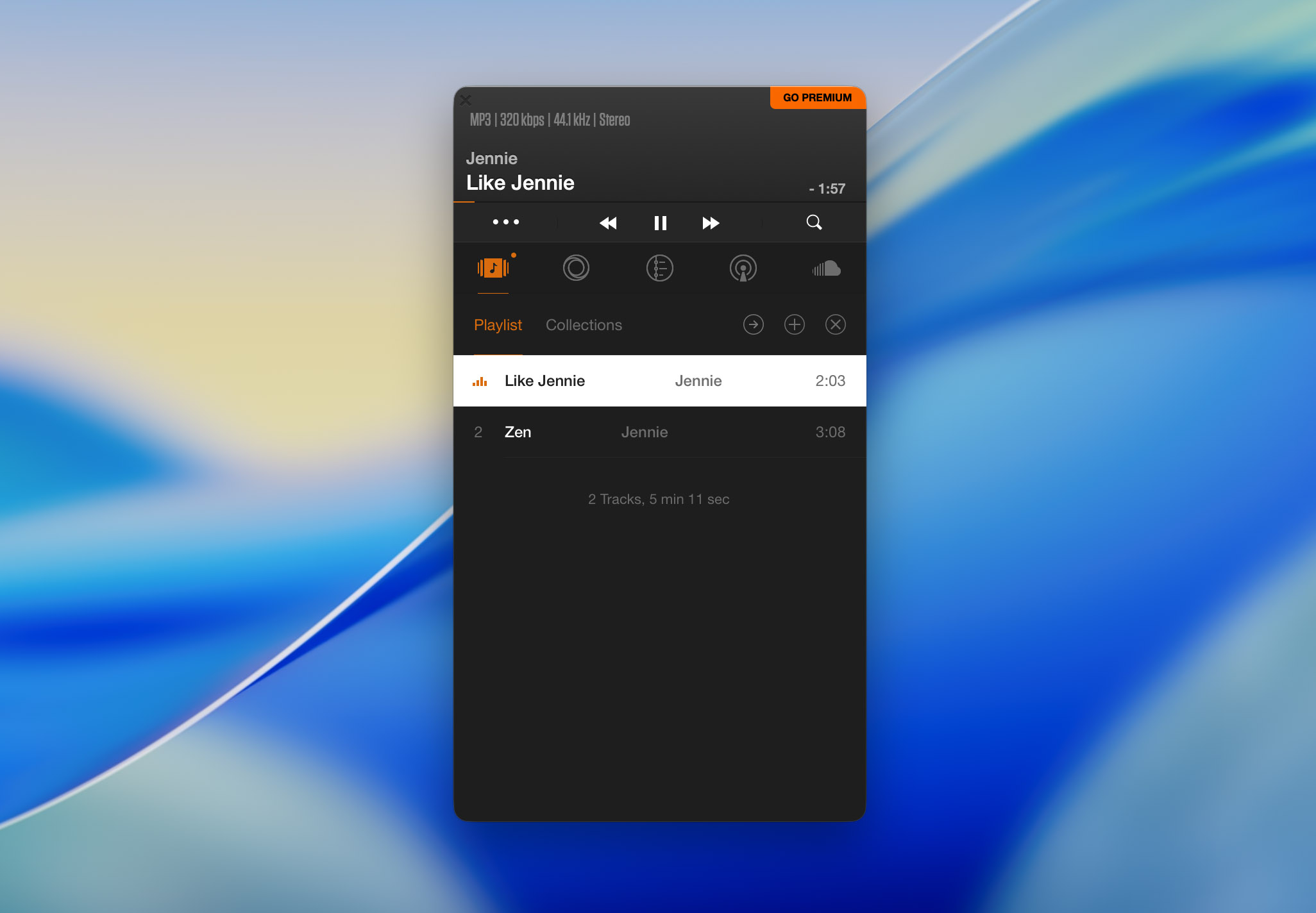
- Supports a wide range of audio formats
- Integrated SoundCloud browsing with access to feed, search, and likes
- Ability to stream any YouTube link by pasting the URL into the player
- Access to a large catalog of radio stations
- Clean, modern interface with a compact mini-player
- Most advanced features are locked behind the Vox Premium subscription
- Frequent pop-ups prompting users to upgrade
9. Flacbox
Flacbox is a high-resolution music player and streamer that stands out because it combines several tools in one app. We added it to the list for users who want more than simple MP3 playback. Flacbox works not only with local files but also with cloud storage, NAS servers, and network drives, which makes it a flexible option for anyone with a scattered music collection. If you keep older rips or rare releases in different file types, Flacbox opens them without conversion.
Flacbox has a simple playlist manager where you can create mixes, edit M3U playlists, and sort your library by albums, artists, or genres. Flacbox also includes a basic file manager. You can move, copy, delete, or rename music files on your Mac right inside the app, which is helpful if you regularly organize your library by hand.
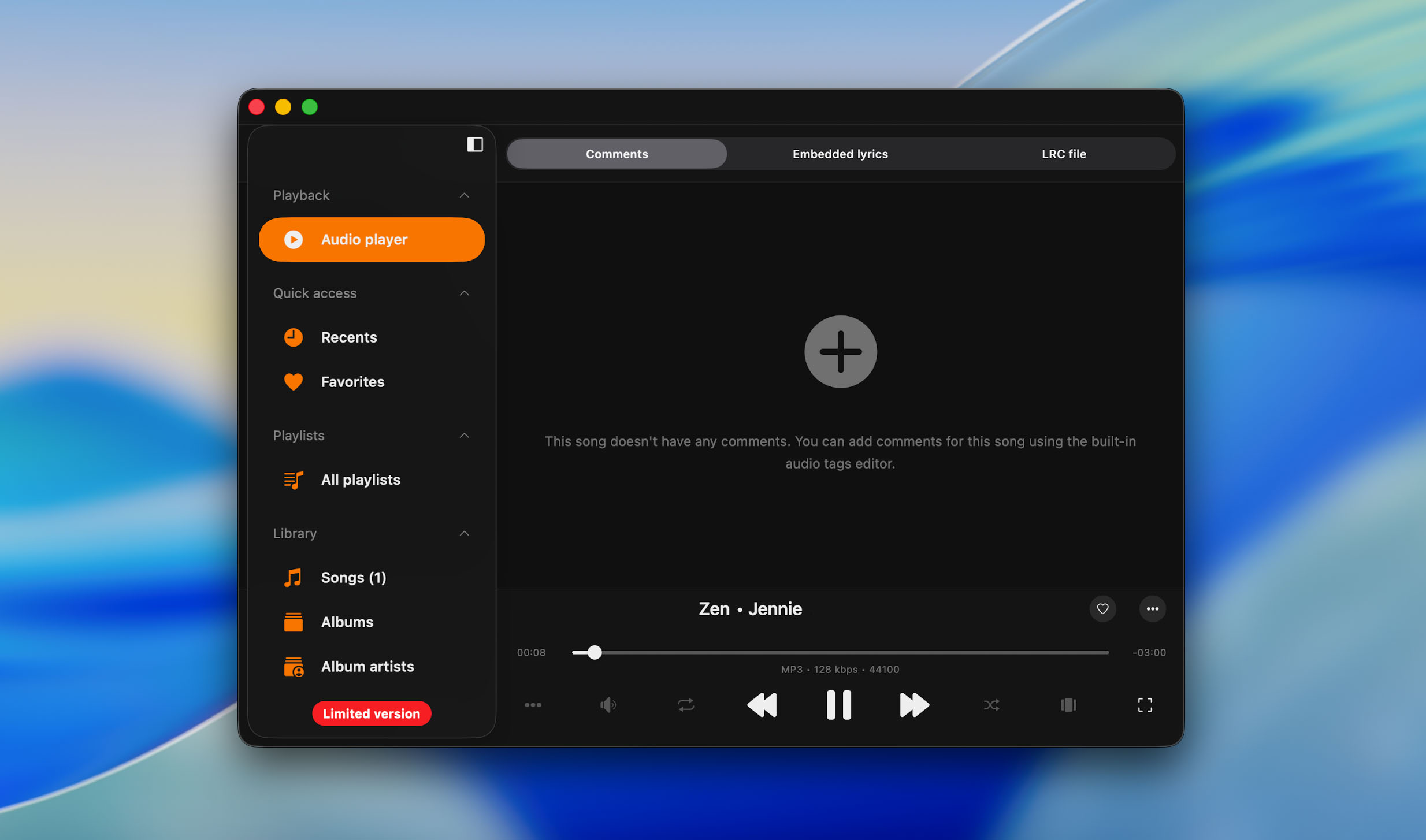
- Works with cloud services (Google Drive, Dropbox, OneDrive, iCloud Drive) and NAS servers
- Includes a 10-band equalizer with presets and manual tuning options
- Supports AirPlay and Chromecast for wireless streaming
- Offers convenient playlist tools
- Built-in file manager for organizing your library directly inside the app
- The free version is limited, and many advanced features require a paid subscription
- Occasional delays when streaming large high-resolution files from cloud storage
Conclusion
Hopefully, you found the above recommendations helpful. Some users prefer lightweight apps that stay out of the way, others want advanced audio tools, and some look for players that combine local playback, streaming, and media management in one interface. That’s why we tested different types of players.
After comparing all nine options and evaluating their strengths, Elmedia Player remains our top choice. It offers the best combination of format support, performance, design, and extra features without overwhelming you. But our goal wasn’t to crown a single universal winner, but to give you a view of the options so you can choose what feels right for your workflow. Every app in this list has something unique to offer, so now it’s your turn to try them out and see which one becomes your personal favorite.