While TVs may no longer feel like the central device in every home, they are still one of the most convenient ways to enjoy content on a larger screen. Watching a movie, a short video, a TV show, or even scrolling through photos is often more comfortable on a TV than on a phone screen, regardless of whether it’s a standard iPhone or a Pro model. iPhone users can rely on AirPlay to mirror their screens to compatible devices, but not all smart TVs and streaming platforms support this technology. Because of this limitation, many users start looking for an alternative – specifically, a mirror app for iPhone.
The need for screen mirroring apps for iPhone created a market for developers to craft solutions, and we tested several popular options available in 2026, focusing on how they perform in real-world use. Taking both advantages and drawbacks into account, here is our look at iPhone screen mirroring and casting solutions worth considering when choosing the right option for you.
Table of Contents
Apps for Mirroring iPhone Screen to TV
Do you need to cast or mirror your iPhone screen to a TV for a presentation, or just to change what’s playing after misplacing the remote? Regardless of why you need a mirroring solution, here are some popular free TV casting apps you can download.
Mirroring content from certain streaming services, such as Netflix, Apple TV, and similar platforms, may not work through these apps. This limitation is not caused by the mirroring apps themselves but by DRM and content protection restrictions enforced by the streaming services.
1. DoCast
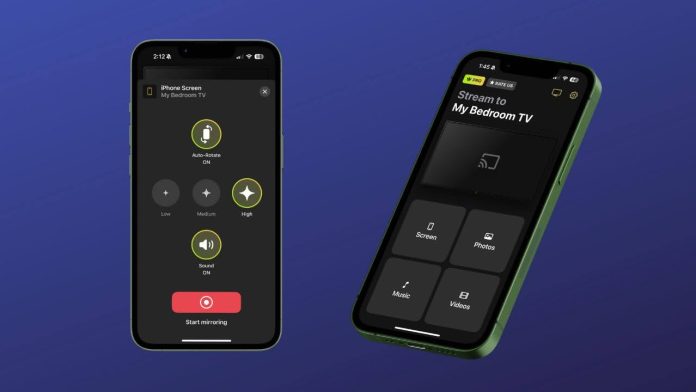
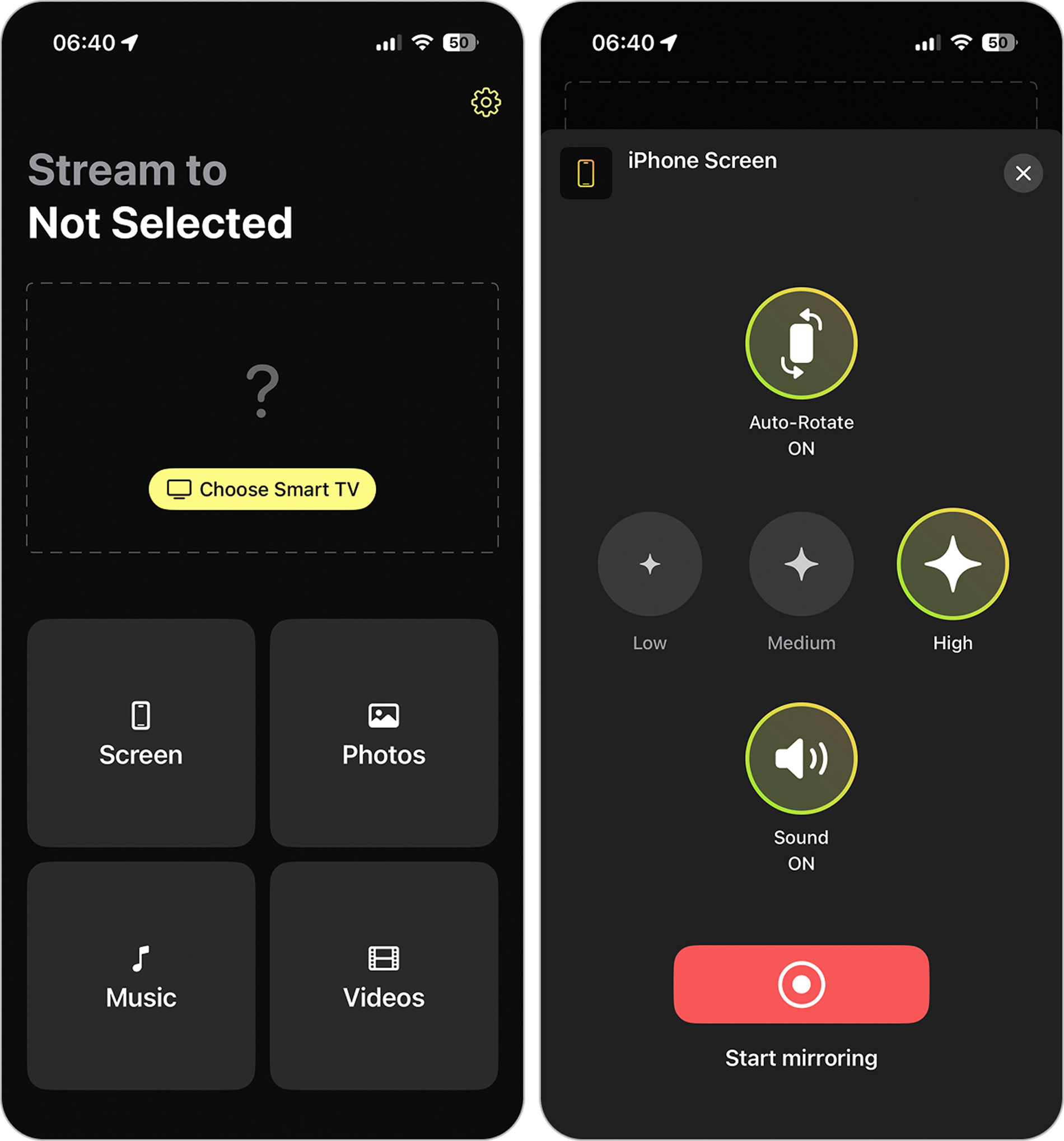
To kick things off, we have DoCast, which is arguably the best screen mirror app for iPhone thanks to its AirPlay-like functionality. Smart TV devices, including those with Chromecast, Fire TV, or Roku operating systems, and even DLNA-enabled TVs. DoCast’s user-friendly platform makes connecting your iPhone to your devices effortless. Plus, casting and streaming are in high definition, unlike many competitors, and it now supports non-DRM-protected music streaming.

- Music casting capabilities
- Works with Chromecast, Fire TV, Roku, and DLNA-compatible TVs
- User-friendly interface
- High-quality with no delay
- Unlimited photo streaming in the free version
- Video quality settings and automatic screen rotation
- No in-app web browser
- Only 15 minutes of free music streaming and 3 minutes of free video mirroring
📱 Supported Devices:
- iPhone with iOS 15 or later
- iPad with iOS 15 or later
💰 Pricing:
- Free 3-day trial
- $7.99 per week
- $11.99 per month
- $34.99 per year
- $49.99 lifetime
DoCast’s straightforward application makes it one of our favorite iPhone apps for Chromecast. For iPhone users who need an adequate solution for mirroring their screens, DoCast is a top option. However, a lack of an in-app browser makes casting video from the web more challenging. Regardless, it remains one of the best Chromecast iPhone apps.
⭐️ App Store Rating: 4/5
⭐️ Our Rating: 4.5/5
2. Screen Mirroring・Smart TV Cast
Screen Mirroring・Smart TV Cast positions itself as a versatile mirroring app that supports not only smart TVs and streaming devices, but also in-car displays such as Tesla. Along with standard screen mirroring, the app allows you to cast videos from social media, like TikTok or Instagram, and personal content, like photos or home videos, which makes it suitable for scenarios where AirPlay is unavailable or unsupported.
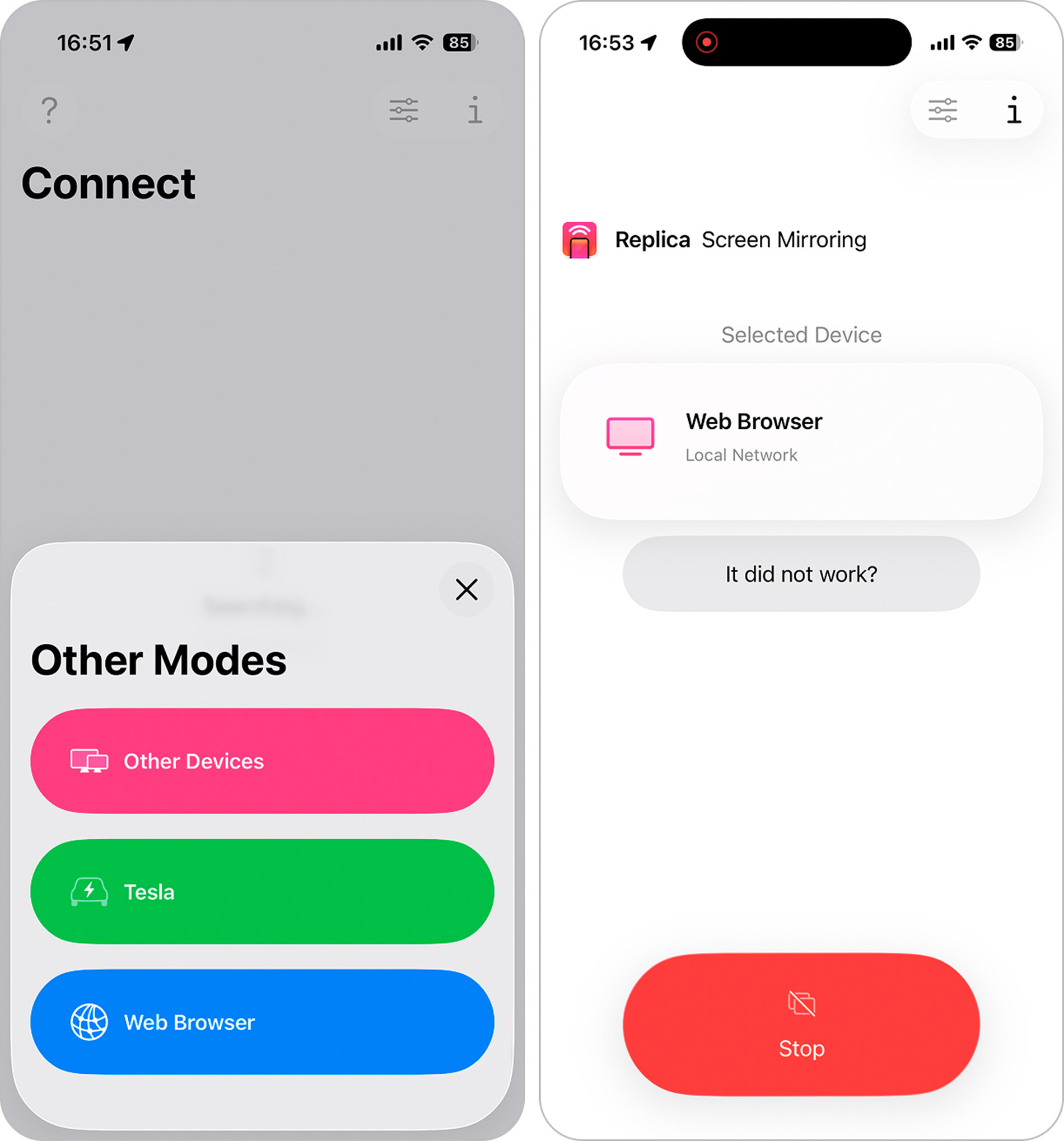
- Cast and mirror to the TV from iPhone
- Supports social media, messaging apps, and web video
- Advanced display and playback controls
- Cast to Tesla
- Must invite friends to receive a discount
- No support for Roku devices
📱 Supported Devices:
- iPhone with iOS 15 or later
- iPad with iOS 15 or later
💰 Pricing:
- Free 3-day trial
- $2.99 per month
- $8.99 per 6 months
- $19.99 per year
Screen Mirroring・Smart TV Cast offers a ton of quality settings, allowing fine-tuning of aspect ratios, video orientation, device mute, app mode, and main-screen device controls. It also comes with an in-app browser and performs well with no connection issues.
⭐️ App Store Rating: 4.3/5
⭐️ Our Rating: 4/5
3. Screen Mirroring | Smart TV
Screen Mirroring | Smart TV is a screen mirroring and casting app designed to connect an iPhone to smart TVs and streaming devices such as Chromecast. In addition to basic screen mirroring, it includes an in-app web browser, YouTube search, IPTV support, and a built-in whiteboard feature, which can be useful for presentations, quick sketches, or idea sharing on a larger screen.
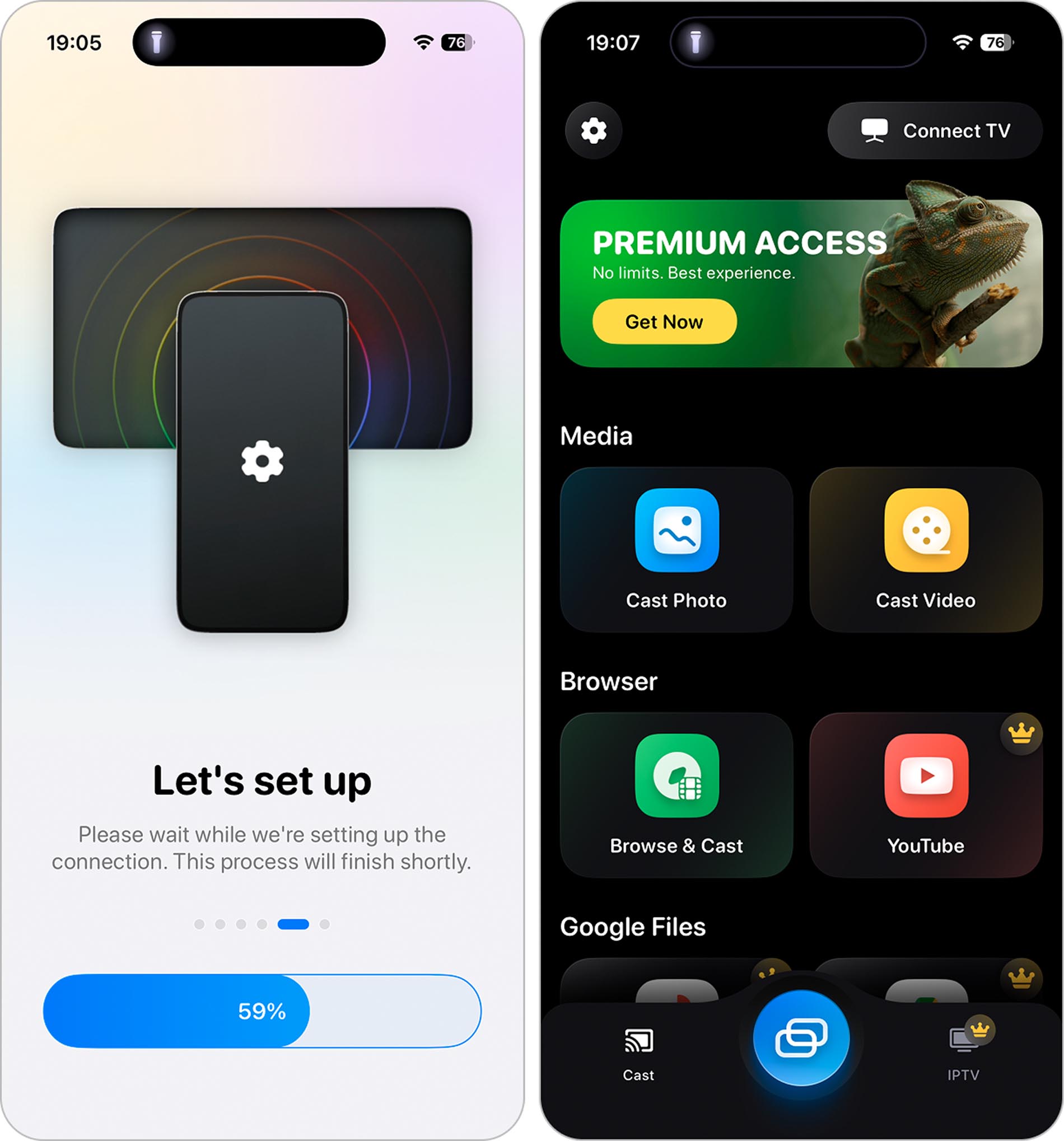
- Supports screen mirroring to smart TVs and Chromecast devices
- Built-in web browser and YouTube search
- Whiteboard feature for presentations and visual notes
- Suitable for mirroring static content such as photos and slides
- Most features are behind the paywall
- Requires TV app for Roku devices
- No audio transmission during screen mirroring
📱 Supported Devices:
- iPhone with iOS 15 or later
💰 Pricing:
- Limited free features
- $8.99 per month
- $17.99 per year
- $29.99 lifetime
While the app itself is not poorly designed and does allow basic screen mirroring, our testing revealed a notable limitation: audio was not transmitted during screen mirroring. This behavior is also mentioned by other users in App Store reviews, suggesting it is not an isolated issue. That said, this limitation is less critical if the goal is to display static content such as photos from the gallery or use the whiteboard feature, where sound playback is not required.
The app does not offer a trial period. Instead, it provides limited free functionality, with most features requiring an upgrade to a paid version.
⭐️ App Store Rating: 4.5/5
⭐️ Our Rating: 3/5
4. Screen Mirroring App
Screen Mirroring App is a basic screen mirroring solution for iPhone designed primarily for Chromecast devices. It works through a browser-based connection, allowing the iPhone screen to be mirrored without cables or complex setup. The app focuses solely on screen mirroring and does not include additional features such as media casting, recording, or playback controls.
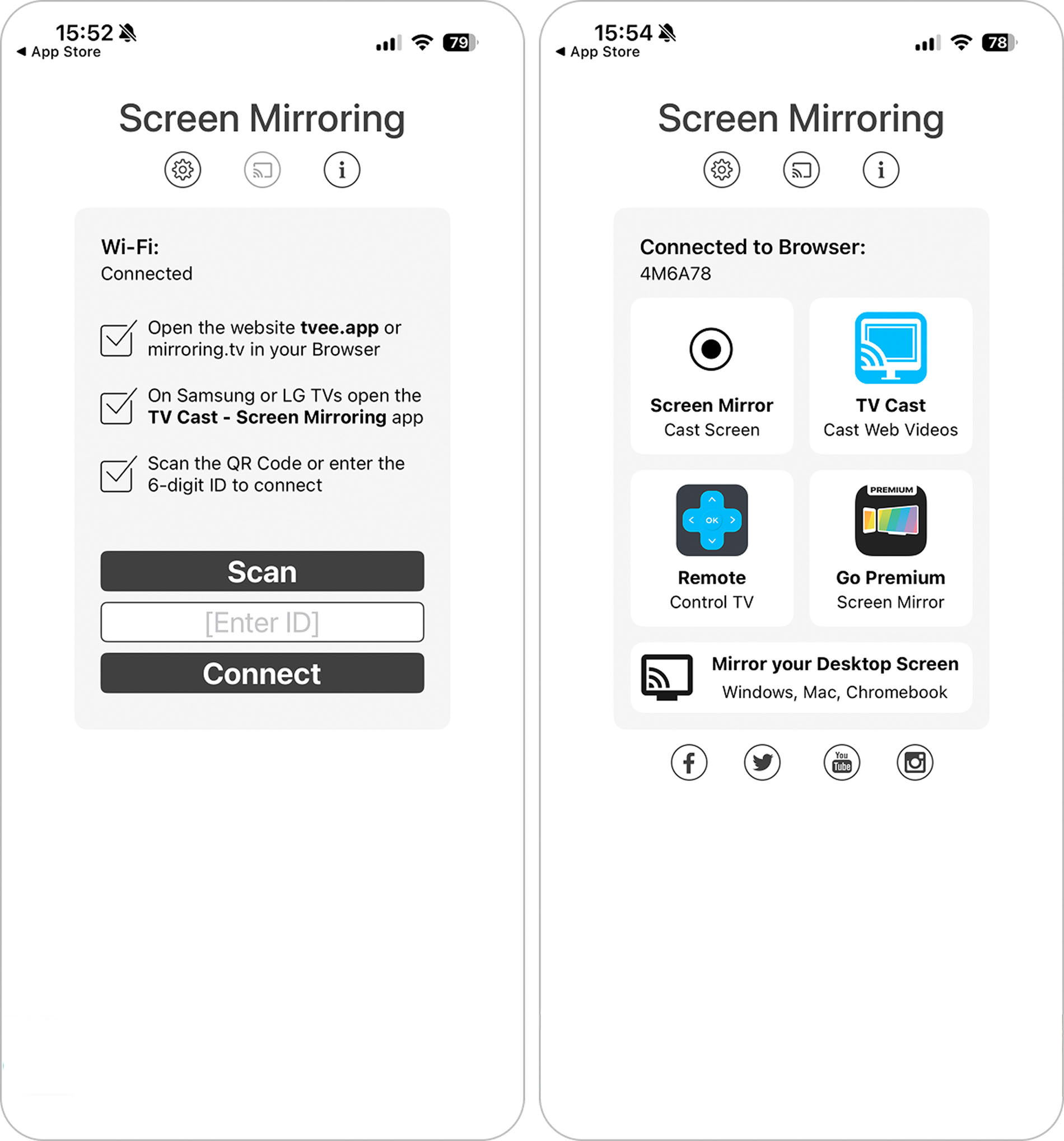
- Free to use
- Supports iPad and macOS
- Must watch an ad to use
- No additional features in-app
- Must navigate to a browser on a smart TV to mirror
📱 Supported Devices:
- iPhone with iOS 12 or later
- iPad with iOS 12 or later
- macOS 10.15 or later
💰 Pricing:
- Free to download and use
- A separate premium app available for $3.99
Despite being technically free to use, the app relies heavily on advertisements to unlock access. During normal operation, interaction with ads takes more time than interaction with the app itself, which significantly limits its practicality for real use.
⭐️ App Store Rating: 3.9/5
⭐️ Our Rating: 3/5
5. Screen Mirroring・Smart View TV
Screen Mirroring・Smart View TV is another free screen mirror app for iPhone that offers a wide range of in-app features and boasts support for operating systems, including Chromecast, Roku, Fire TV, and Samsung. You will find the direct YouTube link, IPTV, and web video and images browser. However, only screen mirroring and personal video or photo casting are available for free.
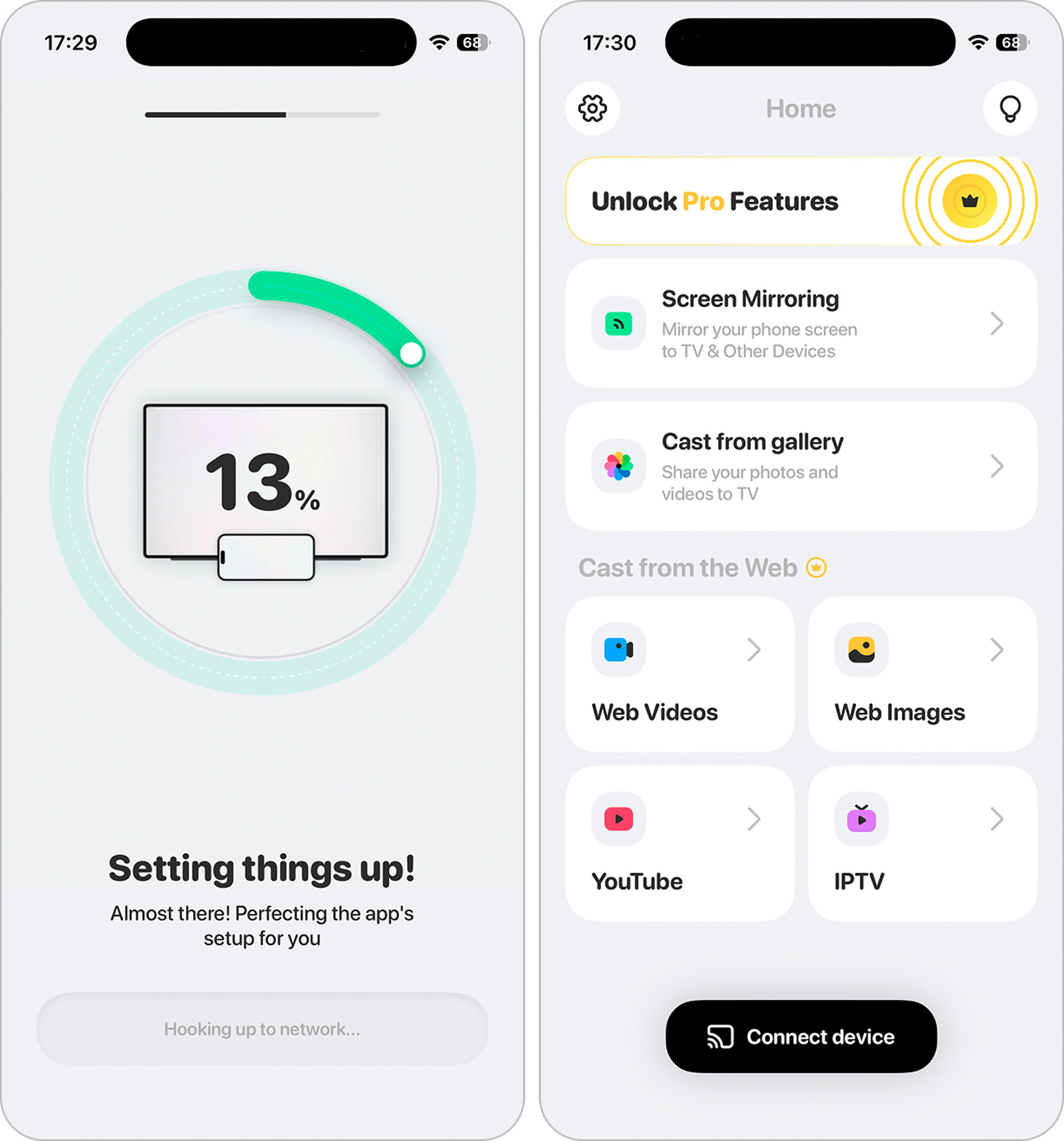
- Variety of in-app features
- Free screen mirroring feature
- Recognizes devices quickly
- Costs to unlock most features
- No iPad support
📱 Supported Devices:
- iPhone with iOS 15 or later
💰 Pricing:
- $69.99 per week
$12.99 one-time purchase
We appreciate the additional features offered by the app, as well as the fact that basic screen mirroring is available without requiring an immediate upgrade. The app does not rely on constant advertising, which makes the overall experience noticeably more comfortable compared to some other free mirroring solutions.
⭐️ App Store Rating: 4.7/5
⭐️ Our Rating: 3.5/5
Comparing Apps for iPhone Screen Mirroring
| App | Free version | Sound in the free version | Mirroring feature in the free version | Chromecast support | Free trial |
| DoCast | ✅ | ✅ | High-quality | ✅ | ✅ |
| Screen Mirroring・Smart TV Cast | ✅ | ✅ | Average quality | ✅ | ✅ |
| Screen Mirroring | Smart TV | ✅ | ✅ | Low quality | ✅ | ❌ |
| Screen Mirroring App | ✅ | ❌ | Average quality | ✅ | ❌ |
| Screen Mirroring・Smart View TV | ✅ | ❌ | Low quality | ✅ | ❌ |
Apps for Mirroring iPhone Screens to Different Devices
In the previous section, we covered five apps that allow an iPhone screen to be mirrored to a TV. However, there are many situations where the same functionality is needed on devices other than a television. Common examples include mirroring an iPhone screen to a computer for presentations, demos, recordings, or everyday work, as well as to tablets or other secondary displays. With this in mind, we decided to include several apps that support screen mirroring from iPhone to non-TV devices and may be worth considering depending on your setup.
1. LetsView
LetsView offers iPhone owners a platform to mirror their devices to other screens, including computers and supported TVs where the app can be installed. It also includes whiteboard tools, personal file casting, and remote casting features. Please note that remote casting requires the purchase of usage minutes.
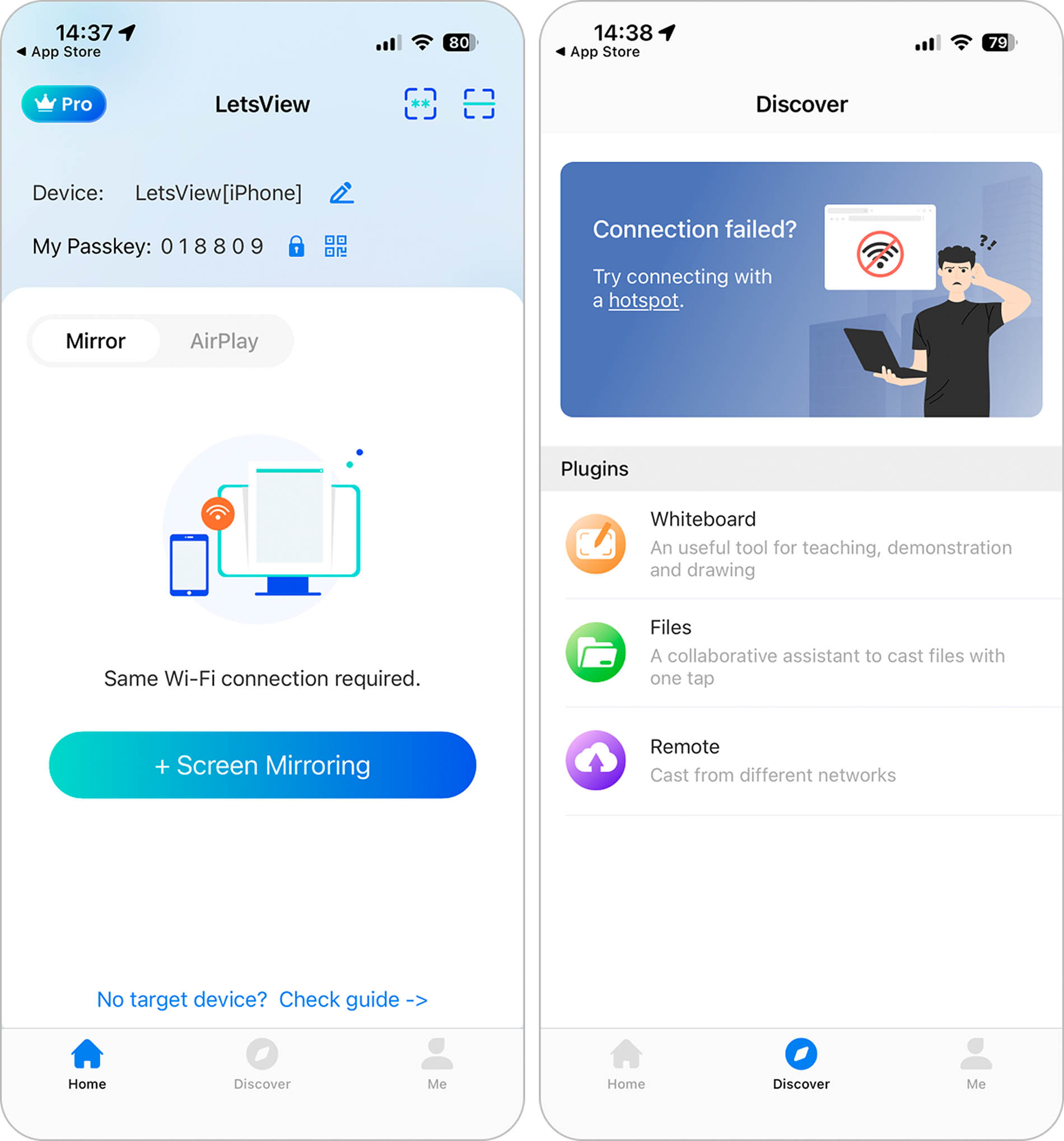
- Free-to-use mirroring features
- Whiteboard capabilities
- Mac download available
- Connection issues with devices
- Must pay by the minute for remote casting
- Significant delays while using mirroring features
- You need to install the appropriate application on TV for screen mirroring.
📱 Supported Devices:
- iPhone with iOS 13 or later
- iPad with iOS 13 or later
- macOS 10.15 or later
💰 Pricing:
- Basic: Free
- Pro: $29.99 per year
- Pro: $59.99 per 3 years
- Business: $39.99 per year
LetsView’s remote casting capabilities give this screen mirroring iPhone app some bonus points, despite the charge per minute. In our testing, connecting an iPhone to a computer was easy, after installing the app on both devices, pairing took only moments by scanning a QR code.
⭐️ App Store Rating: 2.8/5
⭐️ Our Rating: 2/5
2. AnyDesk
AnyDesk is a robust remote desktop solution for users looking to access work or personal computers from their Apple devices. This remote desktop provider allows users to send messages in-app, invite others to view their device screen, and even supports remote device printing functions from anywhere.
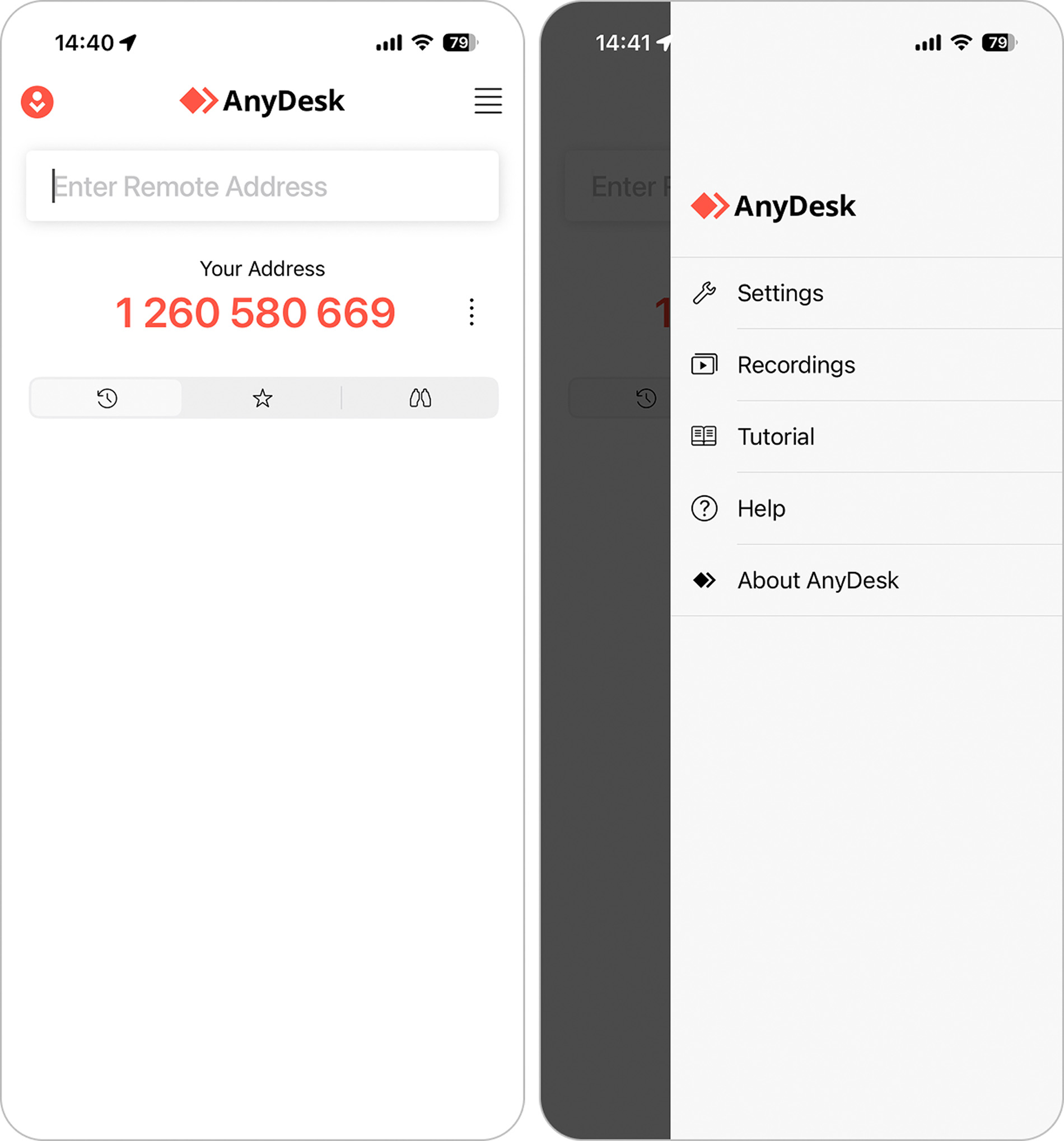
- Access virtual desktops from a wide selection of devices
- High-end TLS 1.2 security and 256-bit encryption
- Features upon features upon features
- Works well with both macOS and Windows devices
- Free level offers limited user support
- Paid plans get pricey with add-ons
- The complicated platform for the average user
📱 Supported Devices:
- iPhone with iOS 12 or later
- iPad with iOS 12 or later
- End device with Windows, macOS, Linux, or Raspberry Pi
💰 Pricing:
- Free version
- Standard: $49.90 per month (billed annually)
- Advanced: $111.90 per month (billed annually)
- Ultimate: By sales agent only
AnyDesk is a platform designed with IT professionals and enterprise employees in mind. The ability to access remote desktops, file management systems, and collaboration tools pairs well with mirroring your iPhone to a computer or tablet. While individual users can use AnyDesk and will find it quite capable, it can be complex to use and pricey for the average user.
⭐️ App Store Rating: 4.5/5
⭐️ Our Rating: 4/5
3. ApowerMirror
Any other free mirroring app for iPhone relies on wireless connections to complete the connection between devices. ApowerMirror is different in that it supports both wired and wireless connections, allowing users greater flexibility in casting their screens. Plus, ApowerMirror also supports whiteboard features and up to four simultaneous users.
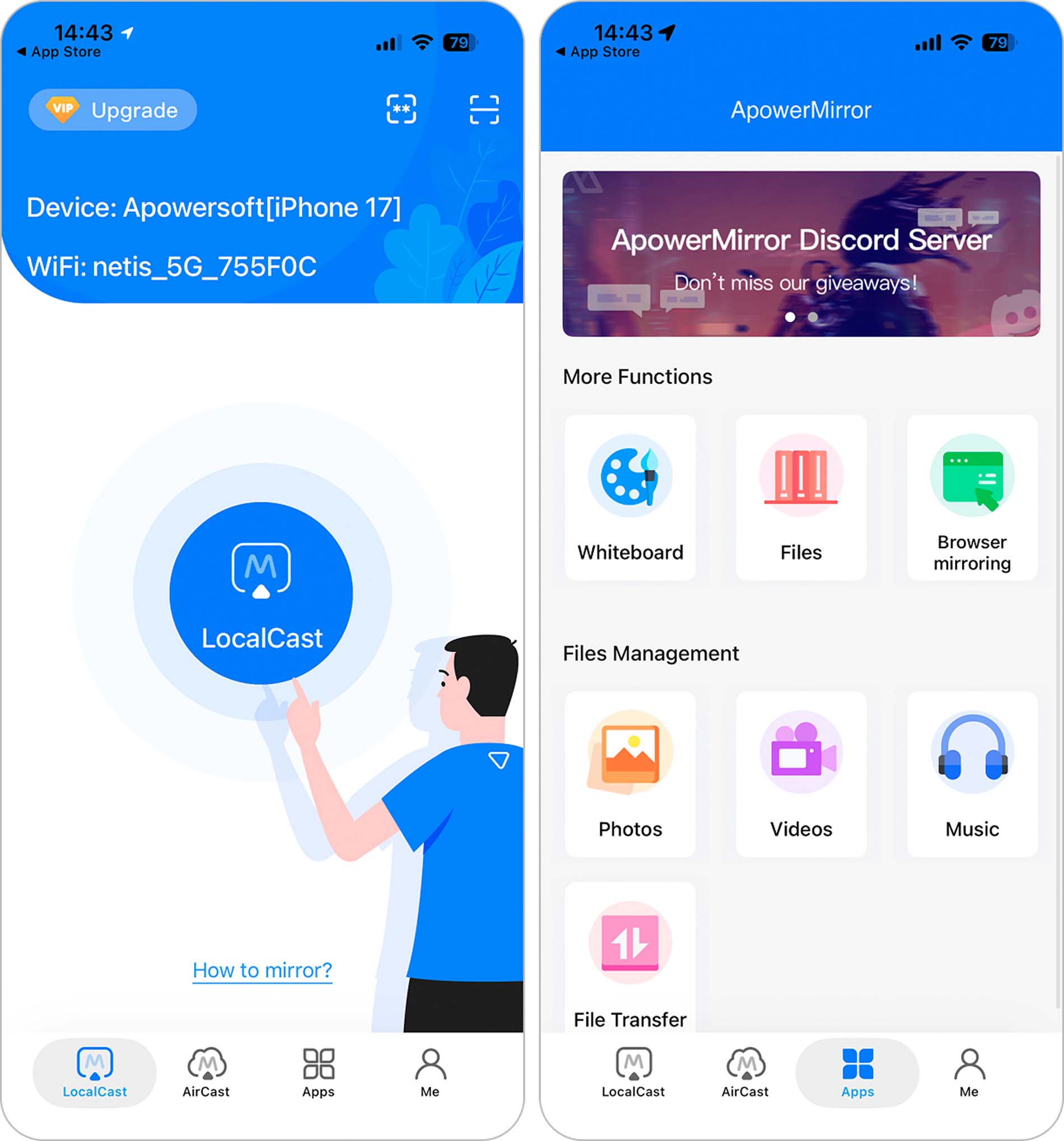
- Screen recording features
- Wired and wireless connections
- Real-time mirroring with audio
- Works with various AR, VR and other smart devices
- Limited free trial capabilities
- Expensive one-time purchase price
- Only 10 minutes of mirroring time for free users
📱 Supported Devices:
- iPhone with iOS 12 or later
- iPad with iOS 12 or later
- Android running Android 5 or later
- End PC, Mac, or Smart TV device
- AR, VR and other smart devices
💰 Pricing:
- Free trial
- Monthly: $19.95
- Annually: $39.95
- One-time purchase: $69.95
ApowerMirror is a powerful solution for iPhone users looking for cross-system functionality, especially with USB capabilities. However, free users only get 10 minutes of use at a time, and the one-time purchase is steep. It may be capable, but other solutions offer more for less up-front.
⭐️ App Store Rating: 2.4/5
⭐️ Our Rating: 3/5
How We Rated the Apps
Rating a free TV mirroring app for iPhone or an app that mirrors your iPhone on other devices comes down to the features available, how difficult it is to connect and use, and the price to upgrade to premium versions. Taking these factors into consideration, we rated these iPhone apps accordingly. Our extensive testing also contributed to scores, accounting for discrepancies between the App Store and our ratings.
Final Thoughts on Free iPhone Mirroring Apps
Free iPhone mirroring apps help users connect their phones with TVs, smart devices, and other gadgets like computers, tablets, and video game consoles. They offer a way to broadcast iPhone screens for presentations, teaching, home movies, and even whiteboards.
Through our testing, we found a few iPhone apps for mirroring content to Smart TVs that are more enjoyable to use than others. For instance, DoCast offers one of the most straightforward Smart TV mirroring solutions with plenty of app settings, like music casting and screen mirroring, at a reasonable premium upgrade fee.
Outside of a few casting apps for iPhone that most users enjoy, such as DoCast, AnyDesk won our hearts for mirroring screens to other devices. Its capability to connect to remote desktops and high-end encryption, combined with a free version, make it an easy favorite. It is easily a working professional’s next best friend.