The latest developer preview of Lion includes a massive overhaul to OS X’s login and lock screens, according to OS X Daily.
Like many other parts of Lion, these two screens have received a lot of iOS-inspired love.
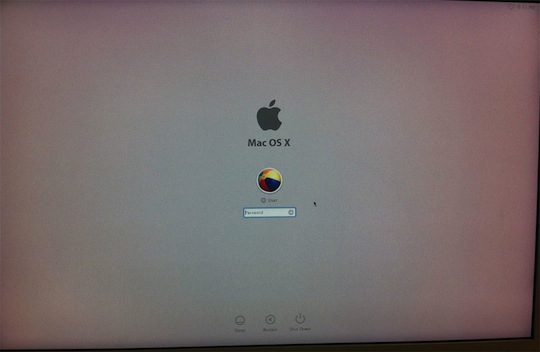
This is the first big change to the Login window Apple has made in OS X. The background is gray — gone are the days of the default wallpaper showing up here. There are some new icons in the upper-right hand corner, showing things like battery life, Airport connectivity and more.
The login panel is radically changed as well. Instead, the user icons and password fields float in the center of the screen. The whole thing is quite minimal, and I’m a big fan already. You can see the new login screen above.
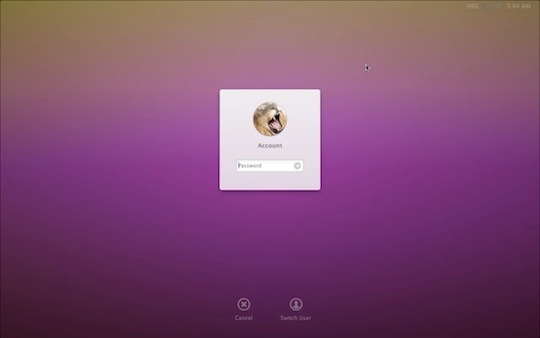
The Lock screen now shows the user’s wallpaper, so it is (finally!) easy to tell if a Mac is logged out or simply locked. Once the user logs back in via the Lock screen, the desktop “flies in” much like iOS app icons do when the home button is pressed. Here’s an image of the new lock screen:
Apple is expected to show Lion off in early June, at WWDC, with a release date this fall.
Article Via OS X Daily
Photo Credit: MacRumors