Genealogy on your Mac: Reunion 9

Screen shot 2010 04 12 at 3.32.40 PM 300x187 Genealogy on your Mac: Reunion 9I am a huge genealogy nut. I spend a couple hours a week researching, and adding to my family tree. I figured that there must be some quality genealogy apps for the Mac and iPhone, so I started looking around. What I found was two different apps: Reunion 9 and MacFamilyTree. I’ll be reviewing both of those along with web services like Geni for my continuing series “Genealogy on your Mac.” Today, however, I will discuss Reunion 9 in depth.

In interest of full disclosure, I was granted a review license of their software, and a coupon code for their iPhone application. This was solely so that I could review this application in full, and it does not influence the content of the review. However, I would like to thank the press contact for Leister Productions for being accommodating and courteous. Surprisingly, however, the company refused to do an interview for our podcast. Apparently, they just aren’t into free promotion of their product.

User Experience

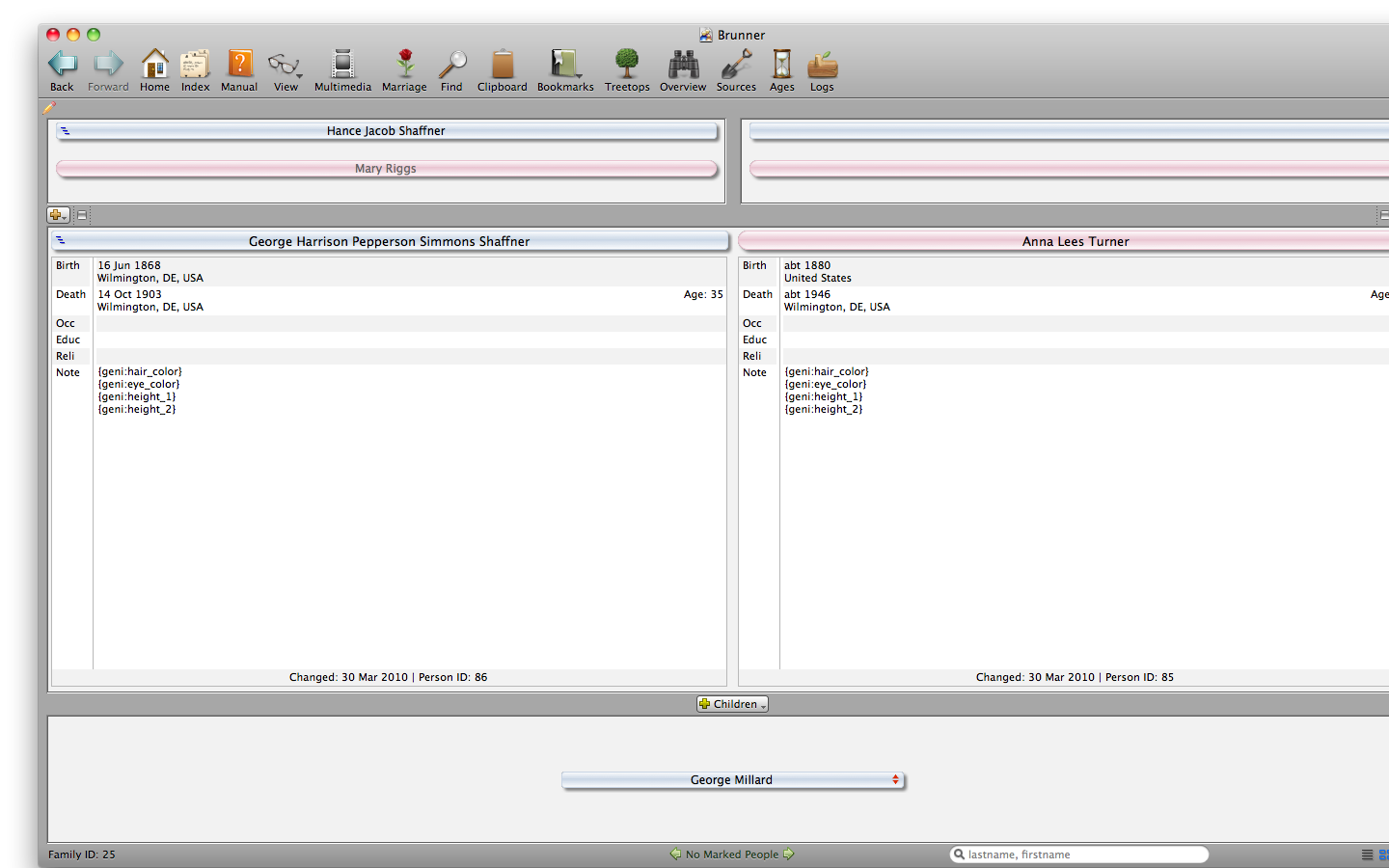
My biggest problem with this application is the user interface. It feels old, and very clunky. Every single button on your tool bar will spawn a new window with its specific content. The completely modal design makes you feel like you’re using a handful of different applications super-glued together. It lacks any kind of cohesive feel. Considering this is a $99.99 program ($59.95 for an upgrade), one would expect a wonderful, modern interface. Instead, using this app makes you feel like you’re using an application from the 1990s.
Screen shot 2010 04 12 at 3.34.28 PM 500x367 Genealogy on your Mac: Reunion 9

The different modes you can view content in are as following:

  • Home — A basic display of you and your closest relatives. It changes depending on who the person of focus is.
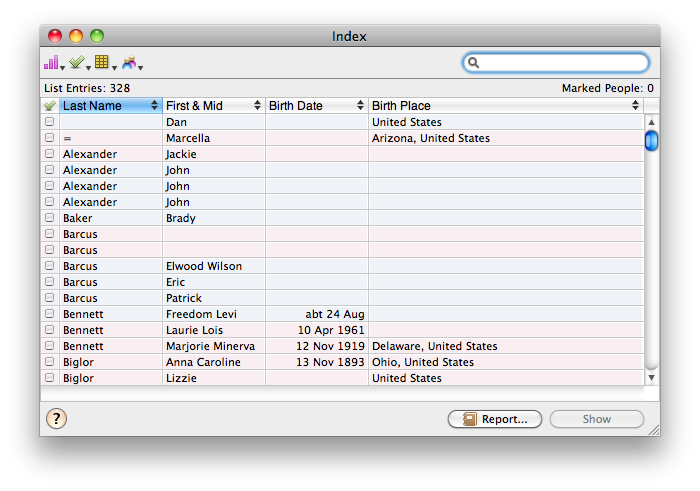
  • Index — This gives you a list of all of your different relatives.
  • Multimedia — A place to manage and view all media files associated with your family tree.
  • Marriage — A window where you can view and edit the relationship information between spouses.
  • Find — Search for any relative on your tree.
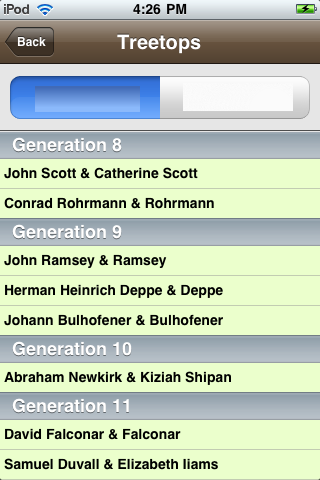
  • Treetops — An overview of the generations in your family.
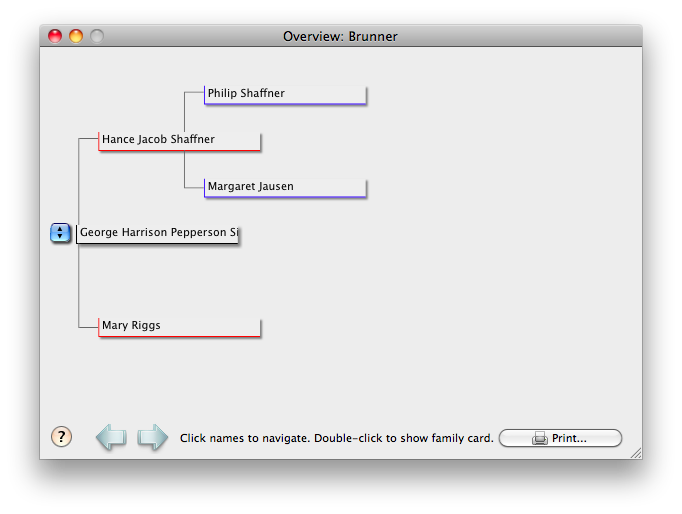
  • Overview — Gives you a quick display of the the branches of the highlighted family profile.
  • Sources — A place to manage all of the different ways you found your genealogical information.
  • Ages — An overview of significant events in the selected profile’s timeline.
  • Logs — A way to keep notes of your work.
Screen shot 2010 04 12 at 3.33.25 PM 500x350 Genealogy on your Mac: Reunion 9

If you’re interested in importing your genealogical information from other sources, Reunion 9 is compatible with the GEDCOM format. A few clicks, and you’ll have all of your hard work imported into this app. On that same note, you can export your data to a GEDCOM file, and move to a different genealogy management methodology at a later date. One of the best things about the genealogy community is the focus on keeping the stream of data flowing constantly. Importing and exporting are relatively hassle free. That said, merging data can lead to problems no matter what system you’re using. Make sure you keep up-to-date backups.
Screen shot 2010 04 12 at 3.33.07 PM 500x376 Genealogy on your Mac: Reunion 9

iPhone Syncing

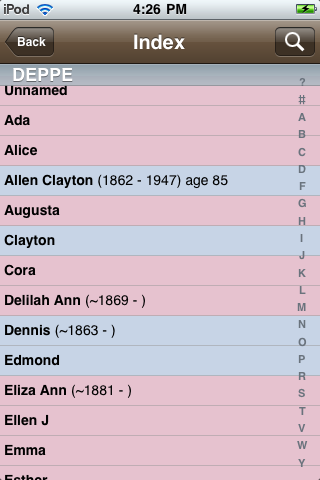
IMG 00091 200x300 Genealogy on your Mac: Reunion 9One of the features that is touted heavily on their website is the iPhone syncing capability. It does, in fact, sync your data from the desktop app to the iPhone app, but the problem is that the iPhone app costs an additional $14.99. That is $113.99 in total if you want to sync your genealogy data to the iPhone.

Just incase you thought you could get away with just buying the iPhone app, you’re out of luck. Without having the desktop app to sync all of your content, the iPhone app won’t do anything for you. Also, you’ll need to have your desktop and iPhone on the same network to sync the data. Sadly, it doesn’t sync through the cloud.
IMG 0010 200x300 Genealogy on your Mac: Reunion 9

Summary

In sum, Reunion 9 is a decent application that allows you to manipulate your genealogy data in many ways. It has some neat features, but the interface feels incredibly clunky and the cost is prohibitive.

If you have any comments about this app, genealogy on the Mac, or my review, please leave them in the comment section of this post, or you can hit me up on Twitter. Check back soon for more reviews of more genealogy on your Mac!

Photo Credit: matze_ott

 Genealogy on your Mac: Reunion 9
  • http://tranyslvaniandutch.blogspot.com John

    You might also want to take a look at iFamily. It’s the software I’ve used for the past three years, and I feel its GUI is superior to both Reunion and MacFamilyTree.

    http://www.ifamilyforleopard.com/

    • http://grantbrunner.com Grant Brünner

      Thanks for the suggestion. I will look into it ASAP.

    • Philip

      I see that there was an update in July of 2009, but keep in mind that the driving force behind iFamily, Keith Wilson, passed away in 2008 (http://blog.eogn.com/eastmans_online_genealogy/2008/11/keith-wilson-ri.html). I believe his son has taken over development, but one of the great things about iFamily when Keith Wilson was developing it was that he was actively adding features and I don’t think that is going on anymore. If you look at the update notices on the web site there were 29 updates in 2007, 17 updates in 2008 before Keith Wilson passed away and only 1 update in 2009 from his son, primarily to add compatibility with Snow Leopard.

      • http://transylvaniandutch.blogspot.com John

        The update in July was primarily to make it compatible with the new OS release. Keith’s son, Warwick, has said in the forums that he expects an update in 2010. Though you are correct. From my understanding reading what has been said in the forums, Keith was ‘retired’ so iFamily was his full-time job. Warwick isn’t. So even though he has said he understands the code well enough now to make updates, the updates will likely be slower.

  • Al Hibbard

    I second the suggestion of giving iFamily serious consideration. The interface is not as modal as described above but more importantly is that it is person-centric as opposed to couple-centric. The interface makes it very easy to enter or modify data and to later view it in various forms. I have used it for a number of years.

    • http://grantbrunner.com Grant Brünner

      Hmm… iFamily seems interesting. I will definitely cover it in the coming weeks.

  • Deek

    I am a professional genealogist and use Reunion daily. I agree with much of your assessment, however, you neglected to mention the best feature: it is incredibly customizable! You can change how you cite and how the citations appear. How the charts look down to the shape and color of each line. Another feature I like about Reunion 9 is the ability to attach an image of the original document to each citation. I have two complaints though: 1. I wish each field could have its own citation and 2. I wish I could nickname the citation (and it wouldn’t show up when I printed an FGR) so I could easily find which citation to use.

    • http://grantbrunner.com Grant Brünner

      Very interesting, Deek. Thanks for the input. I’m glad you found my criticisms to be fair.

  • Dean L. McLeod

    I’m particularly looking for quick input for Mac desktop or Iphone that can easily go directly to a professional looking descendancy chart with hotlinks to the original documents. Of the three or four out there, which does this best?

    • http://grantbrunner.com Grant Brünner

      Stay tuned for a review of each major Genealogy application here at Macgasm.net. :-)

  • Bev Anderson

    I got my first home computer in the fall of ’01. I searched for a decent genealogy program. I ended up buying an iBook and Reunion the same day in March ’02. I have not yet graduated to Reunion 9.

    Two things sold me on Reunion:

    (1) The format – the Misc. Notes come immediately after the rest of the factual data for dates and locations, which mimics the family group sheets followed by source notes and quotes and documents I had in physical notebooks…, and it’s all on one page, not flipping through tabs like that silly FTM that I have on the PC that I had purchased because of the extra CDs that came with it. Additionally, I can easily use foreign language letters with it (Norwegian, Swedish, and Danish, in my case). Just for kicks a few years ago, I made a GEDCOM in Reunion, transferred it to FTM, and for every foreign letter of the alphabet I used in Reunion, FTM had replaced it with an x, and none of the Notes citing documentation came through and transferred to FTM. It was horrible. Needless to say, I deleted it.

    (2) I can make an entire web site with two clicks on the menu, edit the home page, and upload it with an .ftp transfer to my ISPs web server. I don’t have to put up with only adding my genie info to a web site with ads over which I have no control. I can replace my web info any time I want with current info, and because it’s programmed in advance in Reunion 7, web crawlers can find my web sites.

    Additionally, I can add my own background graphics, home page graphics I made so it’s customized for my particular genealogy, and other info. Because of the way I’ve programmed the info for a web site, I include the Misc Notes… the “meat and potatoes” of the genealogy data. I quote books and historical documents for my colonial American ancestors; the links back to images of original documents in Norwegian info are in the Misc. Notes so other relatives can see the documents I’ve been working with; I have added pictures where applicable.

    The only criticisim I have of Reunion 7 is that I can’t make all the info in Bold before starting. I prefer Bold on a web page because that’s easier to read. The Misc Notes I can make Bold, but not the basic info…, unless I click open every page when editing, thousands of pages, highlight and Bold each one individually before uploading the entire web site to my ISPs web server.

    The drawback to most online genealogy info is that there is no source data or quotes or images of original documents, so, consequently a lot of people end up copying someone else’s mistakes. With my info, the data is all there, and anyone can see where I got the data because it’s in the Misc. Notes following the bare bones facts of birth, baptism, death, burial…, whatever.

    I’ve been doing genealogy research for some 45 years, and only after getting my first computer, then an iBook with Reunion, was I able to really go to town with it. I do research weekly, if not daily, and I’m filling in side lineages; most of the siblings of my parents, grandparents, and gr-grandparents married people with Norwegian ancestors, and their Digitalarkivet web site is the most logical and easiest to use on the ‘net, and their search engine is the most flexible, so I’ve done extensive research in their databases.

    I don’t know about Reunion 9 yet – to upgrade to that I also need to go through the expense of getting another Mac and Reunion 9, and I can’t immediately afford to do so – but I do love the flexibility and ease of use for Reunion 7.

    • http://grantbrunner.com Grant Brünner

      Bev,

      Thank you SO MUCH for sharing your story. That was really great. I’m glad you enjoy using the application. I agree that Reunion has some great functionality. I only really found the user interface and the price to be lack luster.

      Have a great day! :-)

  • Pingback: Review of Reunion 9 at MacGasm.net - Mac Genealogy Software

  • Nora Probasco

    I have been using Reunion for many years and have always upgraded including Reunion 9. I do professional genealogical research and also run two DNA research projects. I have always liked using Reunion and like how I can customize it and add notes as I need them. It is a very good program with lots of flexibility. That said, though, I have to agree with the interface starting to feel dated. In the notes field I wish it worked more like a word processor where you could use tabs, tables, etc. I am also working on a family book and I wish they had more options for printing in book format like Master Genealogist. As for now, I will only be able to download their info into one of their limited formats, then will have to set it up manually. I have also lately had problems using their GEDCOM. I have contacted Reunion regarding these issues, but they do not seem to be as open to change as they used to be.

    • http://grantbrunner.com Grant Brünner

      Nora,

      Very interesting insights. Did you get a reply from them, or did they not write back at all?

      :-)

      • Nora Probasco

        I got a replies back from them, both calls and email. When I first brought up a better word processing capability, they responded that it would come in the next upgrade. When the next upgrade came, it added spell checking only. As far as adding other printing formats like Master Genealogist they said in effect “what you see is what you get.” They tried to explain that one of the formats fit what I was suggesting but it did not. I work with a genealogy group that is also working with DNA to update our trees. We have a central person who upgrades a GEDCOM from Roots Magic about once a month. I tried loading the GEDCOM several times and continued to crash the program. They said there must be something wrong with the GEDCOM so I emailed it to them. They checked it, verified there was a problem, corrected it for that GEDCOM which loaded into Reunion 9. However, they said I would not be able to do any future upgrades because either the fellow who is uploading our data or Roots Magic were not using the correct GEDCOM. Interestingly, I downloaded a free program called Legacy and it was able to upload into that program with no problem. I could see where the problem was but Legacy just ignored the problem areas. So now I have to use Legacy if I want to view the latest GEDCOMs in my research. I still like Reunion very much, however, I am frustrated because it is not serving my needs as much anymore.

        • http://grantbrunner.com Grant Brünner

          Well, I’ll be reviewing other Genealogy applications in the coming days and weeks. Maybe they’ll work better for you.

          Did you talk to the person who makes the source GEDCOM file? Maybe he could do something to correct the error on his side.

          • Nora Probasco

            Yes, he is not willing to change either so I am stuck with Legacy for now.

  • http://www.monapodgurski.com Mona Podgurski

    I bought Reunion with my new MacBook, as my ancient, beloved Gene (early 90′s) won’t operate beyond OS9. I even got the iPod Touch app. The Support at Reunion was superb, they converted all my old Gene files into Reunion files free. The downside is that apparently I am too dumb to operate the program. I would give much for a class in Reunion somewhere. Going to a big family reunion this summer and will probably be bringing my old laptop with my faithful, clunky, simple Gene.

    • http://grantbrunner.com Grant Brünner

      Mona,

      You’re not dumb. If you can’t get the software to work correctly, that is their fault. They have a wonky user interface. Don’t blame yourself. :-)

  • Jack

    This review as well as reviewers of other programs does not state whether Risk Identification Numbers (RIN’s) are used and/or can be transferred via Gedcom to Reunion. In my opinion any genealogy program that does not use RIN’s has a fatal flaw. Not being familiar with Mac programs I suggest Windows programs,if practical,such as, The Master Genealogist or Legacy Family Tree programs be considered. Legacy is a suberb program with more customization than even a picky person like me needs.

    In addition moving files via Gedcom can be disappointing if both programs do not identical fields, labels, etc. as some ptograms have additional data that may not be transferred to the gedcom file.

    • http://grantbrunner.com Grant Brünner

      Additional fields are persistent with Reunion9. If they don’t support a specific field, it is just put into the notes section.

      About these RINs: I don’t believe that Reunion9 supports these. There is something called a RIN (http://www.leisterpro.com/doc/olderversions/Articles/IDNumbers/IDNumbers.php), but it isn’t what you were talking about.

  • Mark middleton

    I have used Reunion v8 & v9 and I like it. The interface doesn’t bug me at all. I hope to see an iPad version soon!

    • http://grantbrunner.com Grant Brünner

      That’s good. How about the price tag? Does that bother you? Especially when their more modern competition are in the $30-$50 range.

  • MitzyMoo

    I have been using Reunion for 5 years now, migrating to it from Family Tree Maker. I love it because it seamlessly incorporates the best feathres of mac’s operating system. And you can customize everything about it, from the fields that show on your screens to the appearance of charts and reports. I’ve imported to it and exported from it. And anything I didn’t know how to do I found instructions for quickly and easily in the help section. And yes, it’s pricey compared to some other things, but if you use it everyday, it isn’t.

    • http://grantbrunner.com Grant Brünner

      Thanks for posting your experience. It’s great that others can read these comments and see real people talking about their experience with an application. :-)

  • Philip

    There’s a list of Mac genealogy software here:

    http://genealogy-software-review.toptenreviews.com/mac-genealogy-software/

    It mentioned Heredis, which I don’t remember seeing an update for in a very long time. It was the first program which had both a Mac and PC version.

    It leaves out one interesting program which I’ve been meaning to try out:

    http://www.myblood-line.com/

    It also has both Mac and PC versions. It is relatively new and is being actively developed.

    I would mention a few things about Reunion – while I do think it is the best overall genealogy program for the Mac, its update cycle is incredibly long. One of the reasons the interface seems so out of date is that the last time it had a full upgrade was in March 2007. Before that the previous update was over 4 years earlier in 2002. While they do small point updates in between, they are not updates that change the UI. Leister is known for being incredibly tight-lipped about their upgrade plans – they will not give any evidence of an upcoming upgrade before its already being released. The release of their iPhone application was a great sign that they follow the market a bit, but it probably pushed back the release of a new version of the desktop app. Oddly, if you post on their forum suggesting Leister release software more often, or be more open about upcoming upgrades, you will be attacked by users who think its better to wait four years between releases and get a ‘quality upgrade’ than to get updates less often for less money each.

    Their focus has always been for function over form, although I do find their interface good for navigating easily around a family. I have tried some other programs and not found it as intuitive. Although I don’t use the functionality so much, Reunion allows good navigation of the UI using the keyboard, which is not offered by all programs.

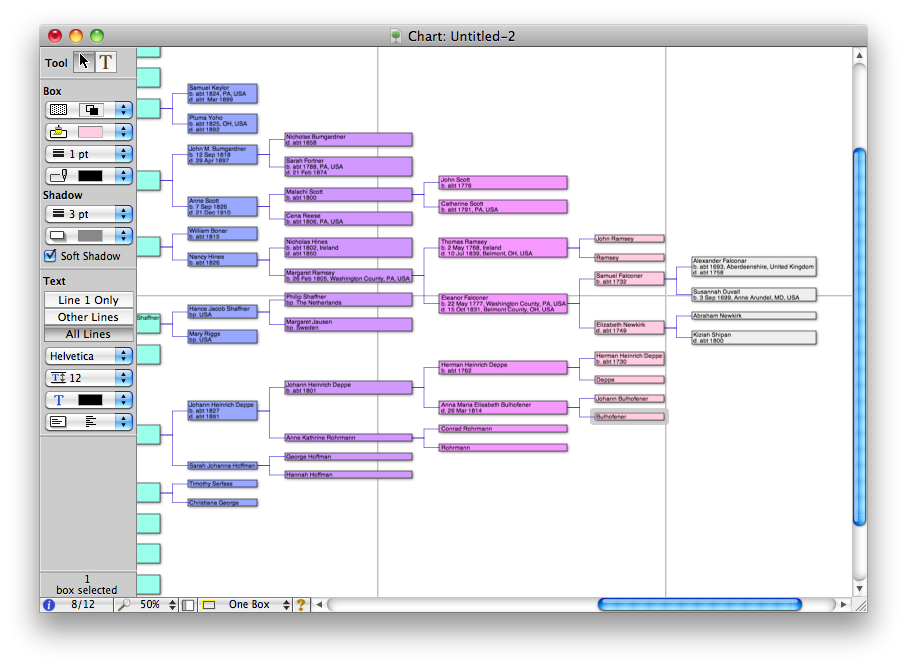
    You should also take a look at the chart publishing of each program. Reunion’s charts are fairly sophisticated and offer fine-tuning before finalizing the chart, which is incredibly useful – especially when looking to do things like adding the charts to a book project. I agree with the previous poster that they should add specific book-publishing features to the program and have also requested such.

    Someone correct me if I’m wrong, but none of the Mac programs I’ve seen do anything about helping with research itself. Things like keeping track of your research contacts, and helping you figure out what information you are missing, would be very useful.

    BTW, one other program which is not strictly a genealogy program but has some very interesting features and would be of interest to genealogists is Memory Miner (http://www.memoryminer.com/). It lets you organize photos and tag each person and location in the photos and cross-index everything. It then generates an amazing flash file that you can post on the web that lets people navigate your photos and see all the photos of a specific person, a specific place, etc. It integrates with google maps for locations. Its weak point in my mind is that it does not include EVents as a category, so for example, if you have 200 photos from a wedding they all show up in the list of photos but there is no way to view the photos as a single event. It can, by the way, import GEDCOM files to create the list of people. Frankly, this is the kind of functionality that modern genealogy programs should be integrating. Media management is a major shortcoming of Reunion, and hopefully they will be integrating some of this functionality in their next upgrade – however many years in the future that might be.

    • http://grantbrunner.com Grant Brünner

      Thank you for taking the time to leave such a detailed comment. I really do appreciate it. I’ll be checking out everything you linked to, and then considering it for future posts.

      Have a great day. :-)

  • Philip

    Another, more updated, list of Mac Genealogy programs:

    http://www.macgenealogy.org/mac-genealogy-software/

  • Patrick

    Thanks to Grant to all of the commenters! I’m restarting a project of getting my Dad’s gedcom files into my Mac (he’s a PC, not that there’s anything wrong with that). So I’m looking for a Mac genealogy application – this was very helpful.

    I should be able to buy any of the major programs, load the gedcom, and be ready to go in a few minutes. After that, of course, comes the hard part – he’s done decades of research, I’ve done none.

  • SusanS

    I’m a long-time Reunion user (12 yrs+) and thought I’d see what else was happening out there, and came across your review. I would agree with both responders who commented on the lack of robust sourcing and so-called ‘book’ publishing.

    Since I don’t intend to publish my work to any public forum, I don’t worry too much about granular sourcing, but I would like to, and do like to make it easier on myself when going back to look up something. Reunion should offer a feature whereby more than just a wholesale source can be made automatically, and make it easier to specify where in that secondary automatic source the info lies. If you’re not familiar with sourcing in Reunion, an automatic source at the primary level can be made each time a new person is entered. But to have granularity to that entry, the info must be hand entered in a box you have to navigate to. Second or alternate entries all have to be hand entered, along with their specific granularity. Since I often find info from various sources, this is a real pain involving much mouse navigating and clicking.

    I would agree about the robust chart-making etc. It is, however, time-consuming to modify. But the book publishing is what had me looking around for other software. I’m not sure that feature alone would make me switch, but it is something I would like to see Reunion have.

    I’ve recently upgraded to an iPhone but not to the app–yet, and only because I haven’t had any genealogical excursions recently.

    I would also agree that the Notes section needs an overhaul for more specificity. But overall, I like definitely like the look and feel of Reunion.

  • Maureen

    The biggest thing holding me moving my genealogy from PC to MAC, is that I cannot move all the pictures along with the GEDCOM. When that gets resolved, I will move. And I am not even sure if the MAC version of FTM will take care of that.

    Thoughts?

  • http://www.genealogyconnections.org Denise

    I’ve been using Reunion for over 8 years and upgrade to Reunion 9. The main problem I have is the search feature which is very inaccurate. The few times I’ve contacted Reunion they have been a bit “above me”although they did have the solution they were so snotty about it I haven’t contacted them again.

    I tried to get a password for the forums with out any luck. At one time you could add a link your website on their site but the last time I checked it wasn’t available. They really give the impression they don’t want to be bothered. If I could find a better program I would switch because of their lack of concern for the people who buy their product. I think they upgrade when they may need more money since Leister is also in music and has CD’s available.

  • Gary

    I agree with all your comments about Reunion Grant.
    I was using iFamily since it’s release and was very happy with it. I changed to Reunion after Keith passed away. I was concerned about ongoing support but more importantly I really wanted an iPhone app (and probably an iPad app down the track).
    I find iFamily’s onscreen view much easier to follow than Reunion. I thought that perhaps it was just me and what I was used to. I showed iFamily to a couple of longtime Reunion users and they agreed that the iFamily onscreen view is much easier to follow.
    It would be great if Reunion could incorporate this view as an option.